

Understanding adversary behavior is core to modern forensics and threat hunting. With the release of MalChela 3.0.2, I’ve added a new tool to your investigative belt: MITRE Lookup — a fast, offline way to search the MITRE ATT&CK framework directly from your MalChela workspace.
Whether you’re triaging suspicious strings, analyzing IOCs, or pivoting off YARA hits, MalChela can now help you decode tactics, techniques, and procedures without ever leaving your terminal or GUI. MITRE Lookup is powered by a local JSON snapshot of the ATT&CK framework (Enterprise Matrix), parsed at runtime with support for fuzzy searching and clean terminal formatting. No internet required.
What It Does
The MITRE_lookup tool lets you:
- Search by Technique ID (e.g., T1027, T1566.001)
- Search by topic or keyword (e.g., ‘RDP’, ‘Wizard Spider’)
- Get tactic category, platforms, and detection guidance
- Optionally include expanded content with the –full flag
- Use from the CLI, MalChela launcher, or GUI modal
Example:
$ ./target/release/MITRE_lookup -- T1059.003

T1059.003 - Windows Command Shell

Tactic(s): execution

Platforms: Windows

Detection: Usage of the Windows command shell may be common on administrator, developer, or power user systems depending on job function. If scripting is restricted for normal users, then any attempt to enable scripts running on a system would be considered suspicious. If scripts are not commonly used on a system, but enabled, scripts running out of cycle from patching or other administrator functions are suspicious. Scripts should be captured from the file system when possible to determine their actions and intent...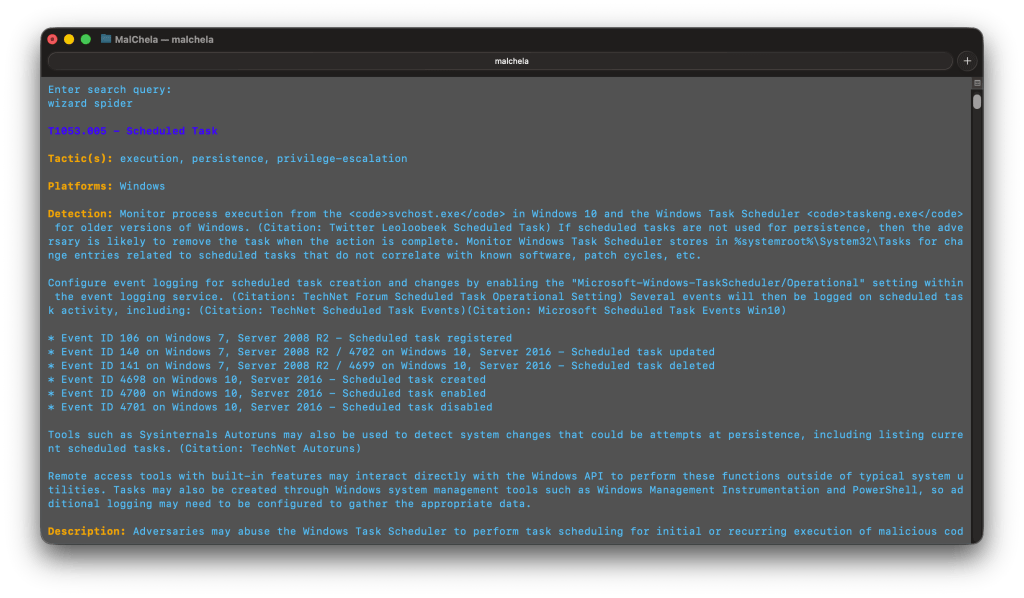
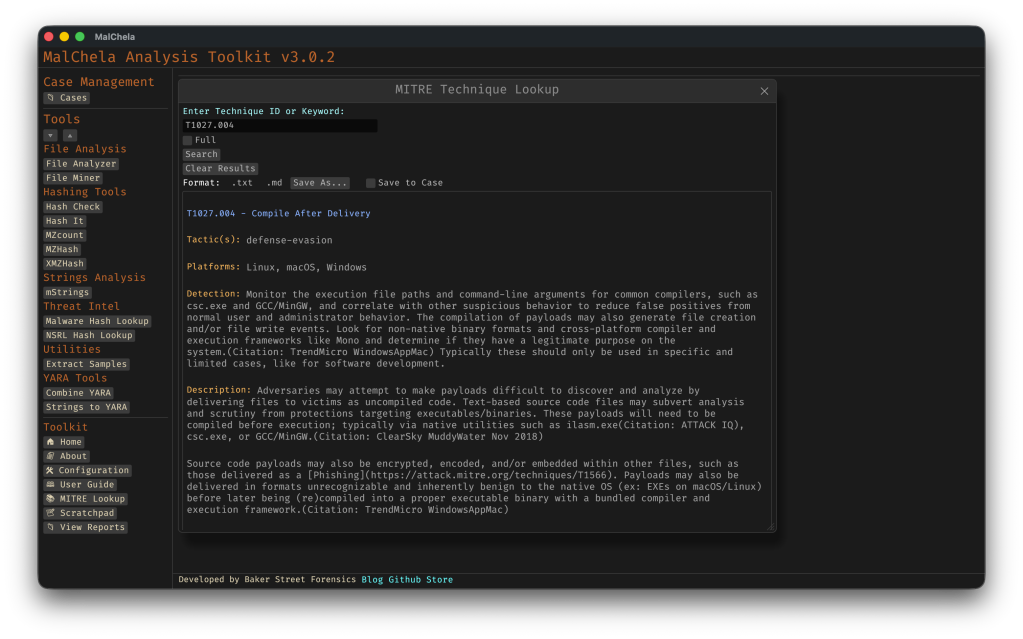
GUI Integration
- Select MITRE Lookup in the left-hand Toolbox menu
- Use the input field at the top of the modal to enter a keyword or technique ID (e.g., `T1059` or `registry`)
- Use the “Full” checkbox for un-truncated output
- “Save to Case” option
Saving for Later
You can save MITRE Lookup results directly from the GUI, either as a standalone markdown file to a designated folder, or into the active Case Notes panel for later reference. This makes it easy to preserve investigative context, cite specific TTPs in reports, or build a threat narrative across multiple tools. The saved output uses clean Markdown formatting — readable in any editor or compatible with case management platforms. This feature is already live in v3.0.2 and will evolve further with upcoming case linkage support.

Why MITRE ATT&CK in MalChela?
MalChela already focuses on contextual forensics — understanding not just what an artifact is, but why it matters. By embedding MITRE ATT&CK into your daily toolchain:
- You reduce pivot fatigue from switching between tools/web tabs
- You boost investigation speed during triage and reporting
- You enable a more threat-informed analysis process
Whether you’re tagging findings, crafting YARA rules, or writing case notes, the MITRE integration helps turn technical output into meaningful insight — all from within the MalChela environment.
 Baker Street Forensics