
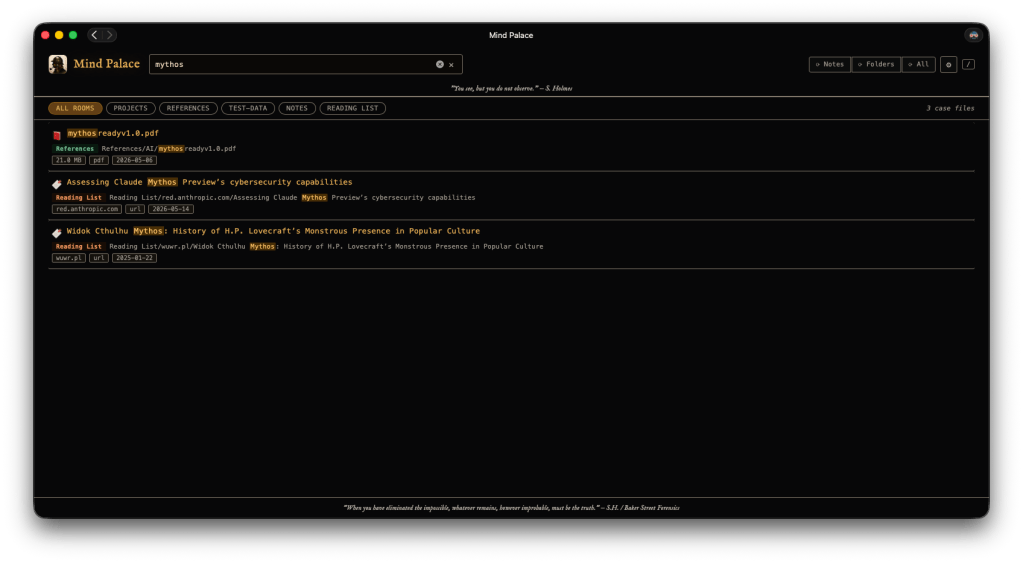
Mind Palace is a free macOS menu bar app that indexes your Apple Notes, Safari Reading List, and local folders into a single, instantly searchable knowledge base — all on your own machine, with nothing sent to the cloud.
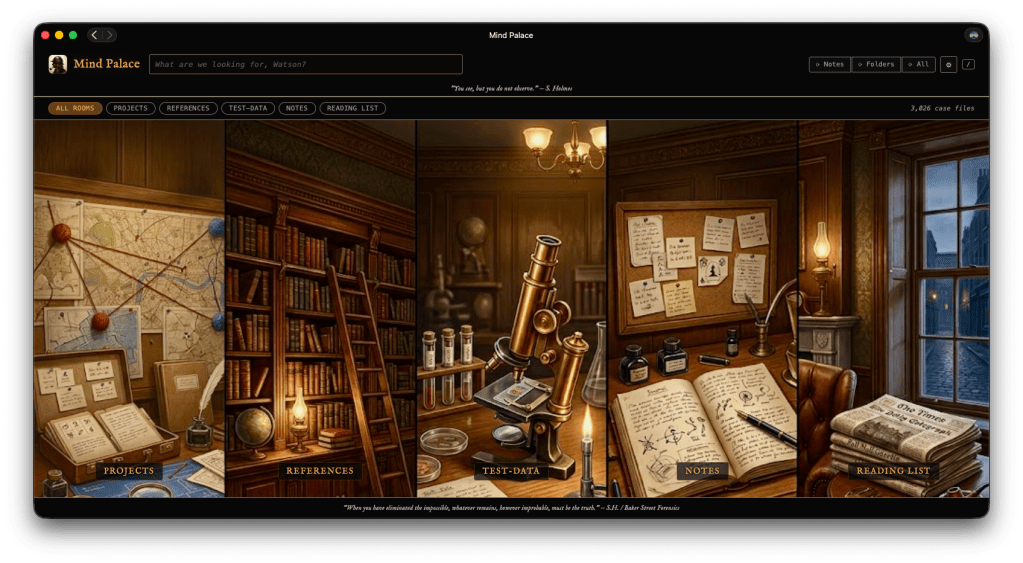
Your Memory Palace, Searchable
The name comes from the method of loci — the technique Sherlock Holmes used to organize everything he knew into a mental palace he could walk through at will. Mind Palace does the same for your digital life: Notes you’ve written, articles you’ve saved, files you’ve collected. One search box. Everything surfaces. You can read the full origin story here: Mind Palace: A Personal Search Engine for the Way I Actually Work.
Features
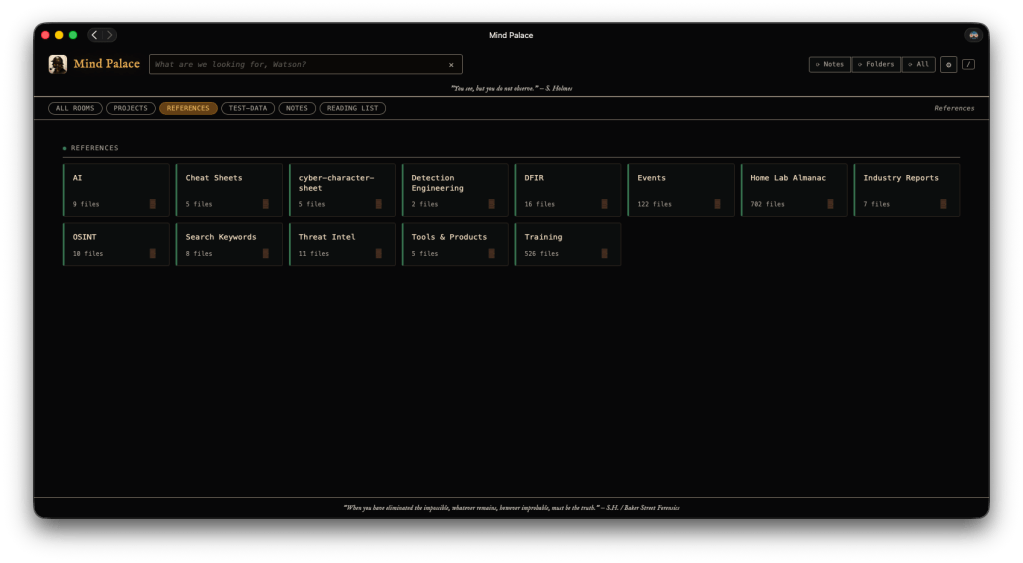
- Full-text search across Apple Notes, Safari Reading List, and local folders
- Content previews with keyword highlighting
- Tag filtering via Apple Notes smart folders
- Click any note to read it inline or open it in Notes.app
- Click any file to open it in its native app
- Syntax-highlighted viewer for 30+ code and text file types
- PDF, DOCX, and PPTX text extraction
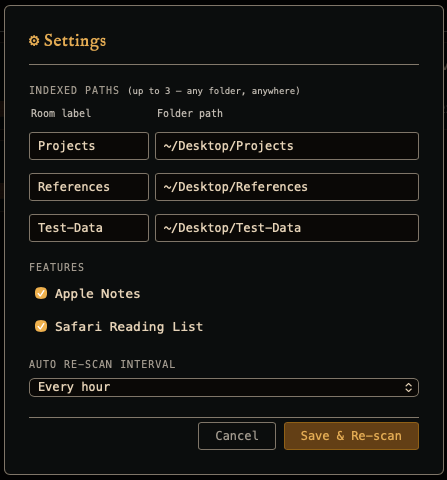
- Auto re-scan on a configurable interval (1–24 hours)
- macOS notifications when scans complete
- PWA install for dock or home screen — works over HTTPS on both localhost and your local network
- Launch at login support
- No external dependencies, no cloud account, no telemetry
Requirements
- macOS 13 Ventura or later (Apple Silicon and Intel)
- Full Disk Access granted in System Settings
- Safari (for Reading List indexing)
Installation
- Download MindPalace.zip from the link below and unzip it
- Move MindPalace.app to your Applications folder
- Open it — the app is signed and notarized, so macOS will launch it without a security warning
- Grant Full Disk Access: System Settings → Privacy & Security → Full Disk Access → click the + button → add MindPalace
- On first launch, a system dialog will ask for your login keychain password — this is a one-time step that installs a local HTTPS certificate so the app can serve securely over your LAN.
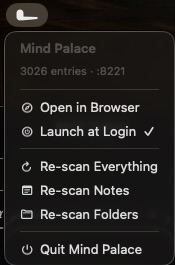
- Once the initial scan completes, open https://localhost:8221 in any browser.The menu bar icon appears and the first scan runs automatically
Full Disk Access is required to read Apple Notes and your Safari Reading List. Mind Palace accesses these files read-only and never transmits anything off your device. The source code is fully available on GitHub if you’d like to verify that for yourself.
HTTPS & Local Certificates
Mind Palace serves over HTTPS rather than plain HTTP. This is what makes PWA install, service workers, and clipboard access work reliably — not just on localhost, but from any device on your local network (phone, tablet, another Mac).
On first launch the app generates a private local Certificate Authority and a server certificate signed by it. Both are stored in ~/Library/Application Support/MindPalace/certs/. The CA is then added to your login keychain as a trusted root, which is what triggers the one-time password prompt. After that, https://localhost:8221 opens without warnings in every browser on your Mac.
Accessing from a phone or tablet
The server certificate covers your machine’s LAN IP addresses and Bonjour hostname (e.g. macbook-pro.local) in addition to localhost. To connect from another device, that device needs to trust your local CA:
iPhone / iPad
- In the Mind Palace menu bar, click Show CA Certificate in Finder
- AirDrop MindPalaceCA.crt to your iOS device — tap it in the Files app to install the profile
- Go to Settings → General → VPN & Device Management and trust the new profile
- Go to Settings → General → About → Certificate Trust Settings and enable full trust for the MindPalace CA
- Navigate to https://your-mac.local:8221 in Safari
Android
- AirDrop or email MindPalaceCA.crt to your Android device
- Open Settings → Security → Install a certificate → CA certificate and select the file
- Navigate to https://your-mac.local:8221 in Chrome
Another Mac
- AirDrop MindPalaceCA.crt to the other Mac
- Double-click it — Keychain Access opens and prompts to add it
- Find it in Keychain Access, double-click it, expand Trust, and set When using this certificate to Always Trust
If you change networks and can no longer connect from other devices, click Regenerate Certificates… in the menu bar — this generates a new certificate covering the current IP addresses and re-installs the CA trust.
A Note on Privacy
The application operates entirely locally without analytics, crash reporting, or update verification mechanisms. All HTTPS certificates are generated on your device and stored locally — no certificate authority, no external PKI. The sole external connection involves Apple’s notarization verification on first launch.
Building from Source
Mind Palace is written in Swift with no external dependencies and builds entirely from the command line — no Xcode project required.
git clone https://github.com/dwmetz/MindPalace.gitcd MindPalacebash build-app.sh
– Download Latest Release → https://github.com/dwmetz/MindPalace/releases/latest/download/MindPalace.zip
– View on GitHub → https://github.com/dwmetz/MindPalace

