
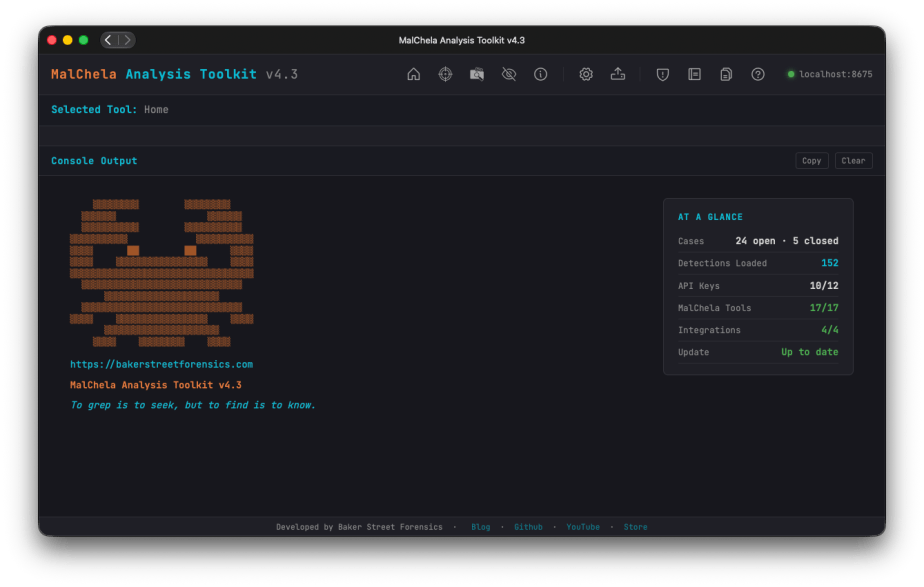
Hot on the heels of v4.2… yep, v4.3. What can I say? The melatonin isn’t cutting it anymore to keep me asleep. Rather than count sheep – working on my favorite project helps. Granted I’ve still got bags under my eyes, but I’ve got something to show for it.
At A Glance
The first thing you’ll notice on this release, after all it’s impossible to miss, the At A Glance panel added to the Home Screen. In addition to the “Crabby Koans“, you see:
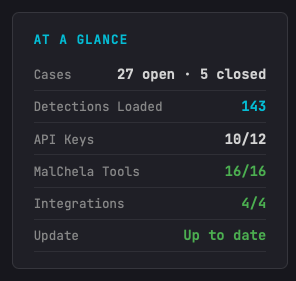
- Number of open/closed cases
- API key status
- Number of MalChela tools loaded
- Number of Integrations (3rd party tools) loaded; great for REMnux mode
- GitHub status for available updates (it’s back!)
Other UI enhancements include new Analyze and Cases toolbar buttons, a collapsible Tools sidebar; and live progress updates during a run.
Airplane Mode / Offline Mode
While there’s a lot of great threat-intel information you can garner using TIQuery and the other utilities, sometimes internet isn’t an option – or maybe it’s a sample you want to handle so carefully you want to ensure there’s no external lookup activity. MalChela won’t mess with your Op-Sec. Rather than just have things fail gracefully (hopefully) when there’s no internet, there’s now a new Offline Mode toggle (Configuration screen), that cleanly skips every network call across the toolkit (NSRLQuery, TIQuery’s full multi-source lookup, FileAnalyzer’s VirusTotal + NSRL checks) instead of failing quietly or hanging, so labs and scenarios can run fully air-gapped.

Analyze Rollup
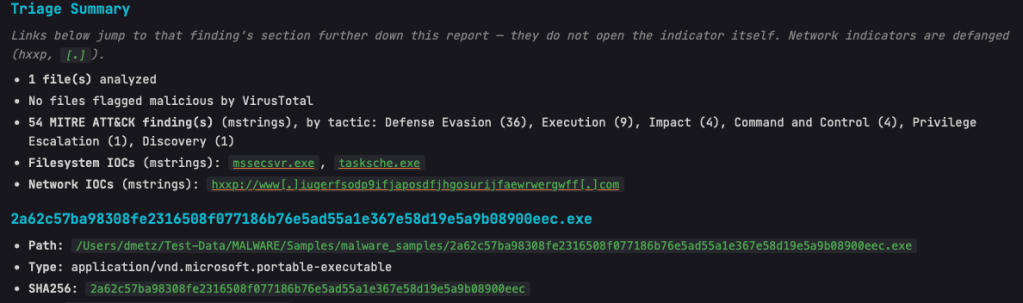
- Triage Summary now links directly to the relevant section for flagged malicious files and their flags/indicators, plus the Filesystem and Network IOC lists — click a finding, jump straight to the detail.
- Network IOCs in the rollup are shown defanged by default, with a note clarifying that links jump to the report section rather than the live URL.
- Case ZIP/archive samples and containers found mid-scan (not just top-level) are now auto-extracted and analyzed automatically.
- Includes the new dpp Extract tool: unwraps DMG/PKG containers to reach the real payload files inside.
mStrings
As the tools and the suite continue to grow, mStrings remains the star of the show. Updates in this release include:
- Network IOCs in mStrings’ own report output are now defanged, matching the rollup.
- Base64 strings are now auto-decoded and recursively rescanned for further IOCs/detections.
- Regex engine switched to fancy-regex, enabling lookaround-based detection patterns.
- Better surfacing of bare-domain C2 IOCs and multi-layer obfuscation depth.
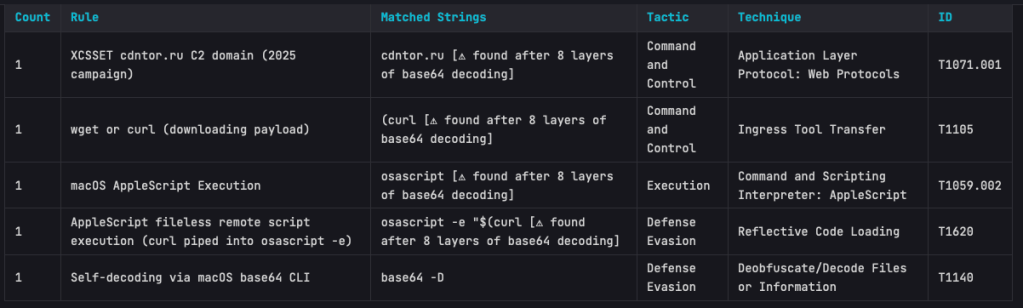
The Base64 scanning is impressive. On one of my test samples MalChela was able to extract strings in a file buried under 8 layers of Base64 encapsulation.
StringsToYARA
- New refang capability: defanged URLs (hxxp://, [.]) in source strings are automatically restored to real URLs in the generated YARA rule.
Safely store your URLs in a defanged state – when it’s time to create the rule – then and only then does the live url get exposed.
Detections
- 25 new detection rules added (bringing the ruleset to 144), including full coverage for the Proton macOS RAT family, XCSSET, iWorm, EmPyre, Bella RAT, BirdMiner, and Python self-decompressing execution patterns.
Documentation
- Full documentation pass covering all of the above, plus a new Offline Mode reference page and a Top Toolbar quick-reference table.
- Bonus for me, the PDF User Guide is now generated via an automated, versioned build pipeline.

