Sometimes the best breakthroughs are the ones you don’t plan for. After a routine Windows update this week, I launched MalChelaGUI from the Ubuntu terminal on an Ubuntu WSL2 instance — and it simply opened. No X-server, no environment tweaks, no extra packages.
🎉 😱 A Rust native GUI app on Windows, via Ubuntu WSL terminal!
The latest WSL 2.5 + WSLg 1.0.66 update from Microsoft quietly unlocked full Wayland and GPU acceleration for Linux GUI apps on Windows 11 24H2. (Note the latest WSL at the time of this post is 2.61)
The result? MalChelaGUI now runs as a true desktop app on Windows, powered entirely by Ubuntu WSL.
Why This Matters
🧰 No configuration needed — just follow the default instructions at GItHub, and build MalChela as usual. (WSL, Ubuntu 24.04 or later)
🪟 Native windowing — Clipboard, display scaling, and GPU acceleration all handled automatically.
🦀 Cross-platform parity — macOS, Linux, and now Windows (via WSL) all run the same GUI experience.
It’s a small but meaningful proof of concept: cross-platform DFIR tooling can now live comfortably in every environment analysts work in — even Windows, without compromise.
Call for Testers
If you’re running Windows 11 24H2 or newer, update WSL and give it a try:
```powershell
wsl --update
Then from Ubuntu WSL
./target/release/MalChelaGUI
If it launches successfully, drop me a note or tag me — I’d love to hear how it behaves across different hardware and GPU setups.
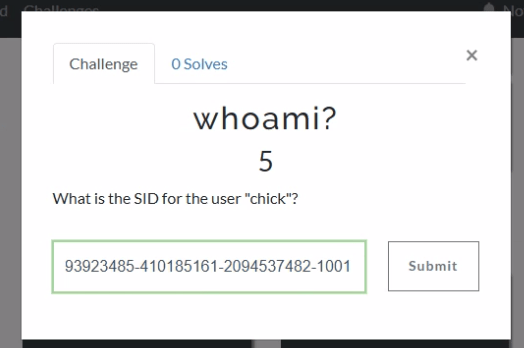
If we jump into Axiom and head to the User Accounts, we can see that the SID for chick is S-1-5-21-493923485-410185161-2094537482-1001.
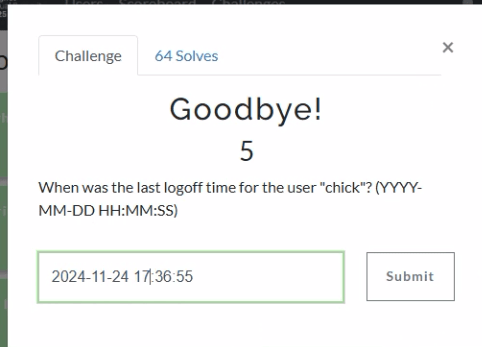
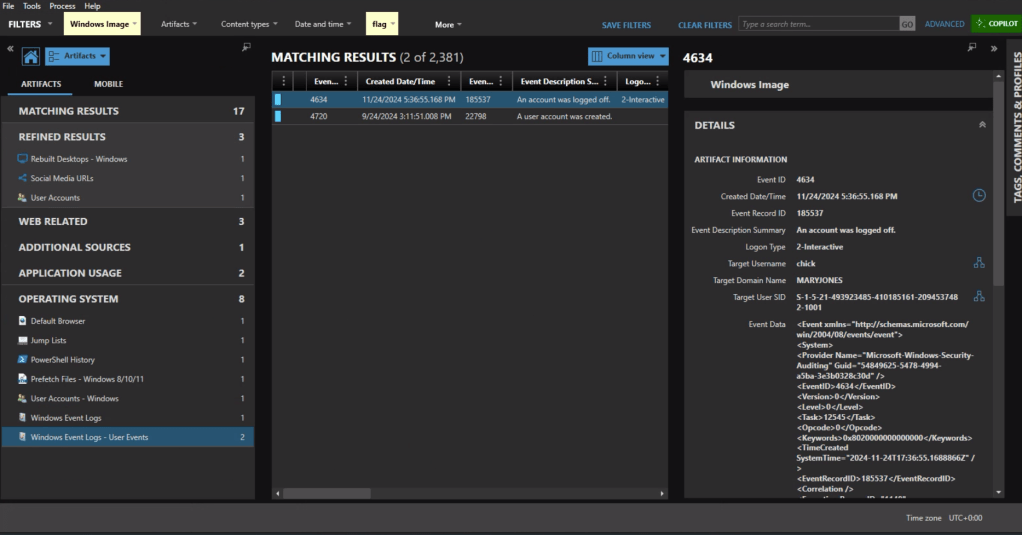
Windows Event Logs will track user login and logoff activity. The primary event IDs for Windows logoff are: 1. Event ID 4647: This is logged when a user manually initiates a logoff process. It is typically associated with interactive and remote-interactive logon types and indicates user-initiated activity. 2. Event ID 4634: This is logged when a logon session is terminated and no longer exists. It can result from system actions (e.g., idle timeout or shutdown) rather than explicit user action. It often follows Event ID 4647 if the logoff was user-initiated.
In Axiom we can find the most recent 4634 event at 11/24/2024 5:36:55 PM, formatted for the challenge as 2024-11-24 17:36:55.
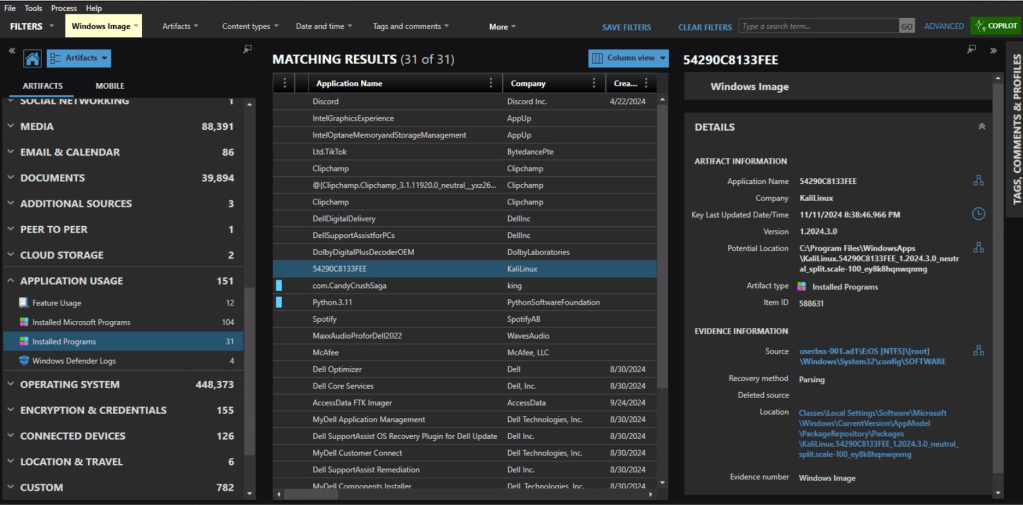
In the Installed Programs under Application Usage we can see that com.CandyCrushSaga was installed. This is the package name for Candy Crush.
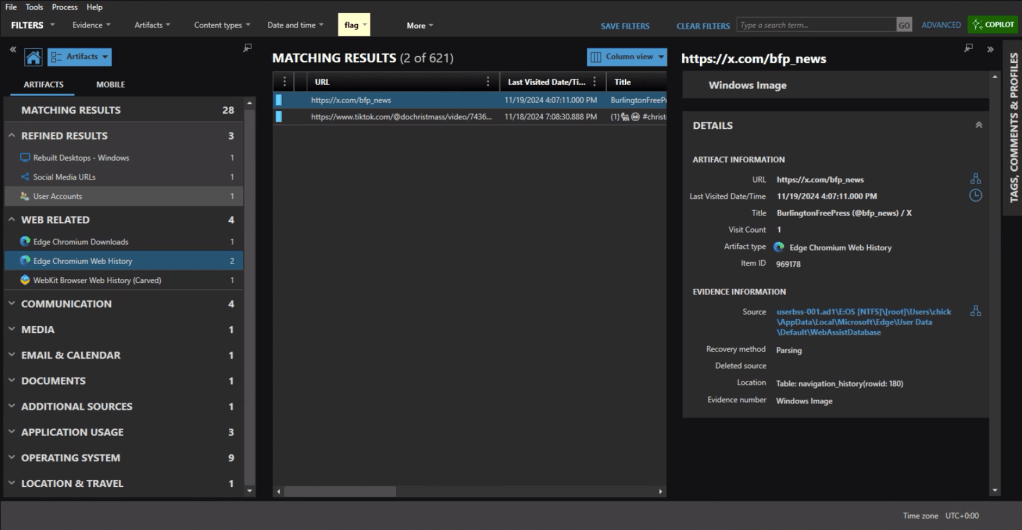
Under the Web Related artifacts, specifically Edge Chromium Web History we can see traffic to https://x.com/bfp_news which is the Twitter/X site for Burlington Free Press.
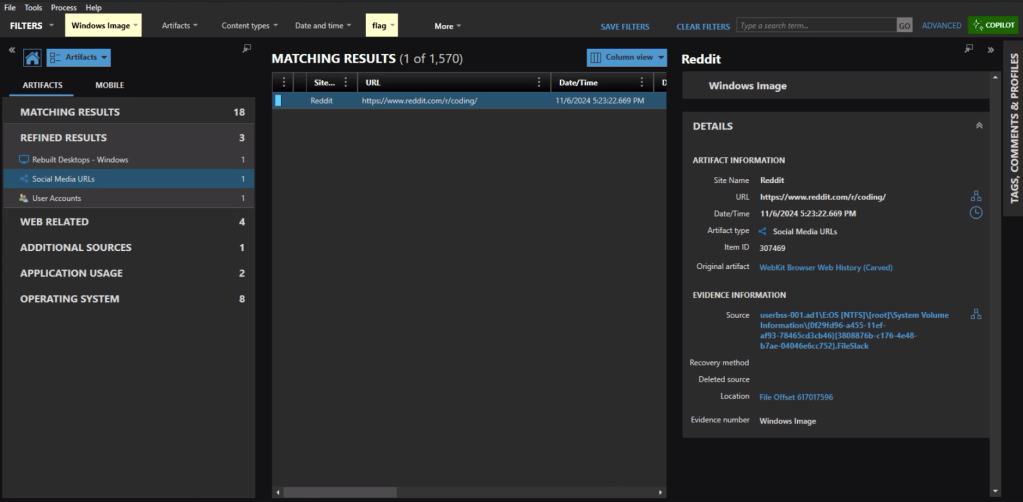
Refined Results, Social Media URLs, shows that the user visited the subreddit of https://reddit.com/r/coding.
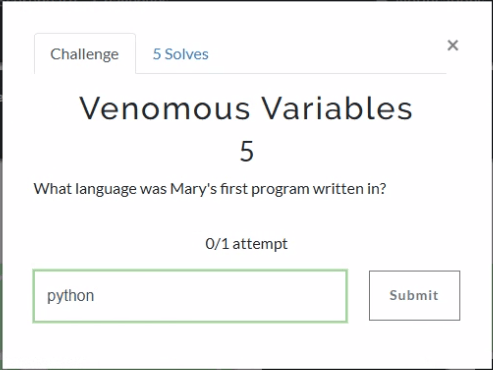
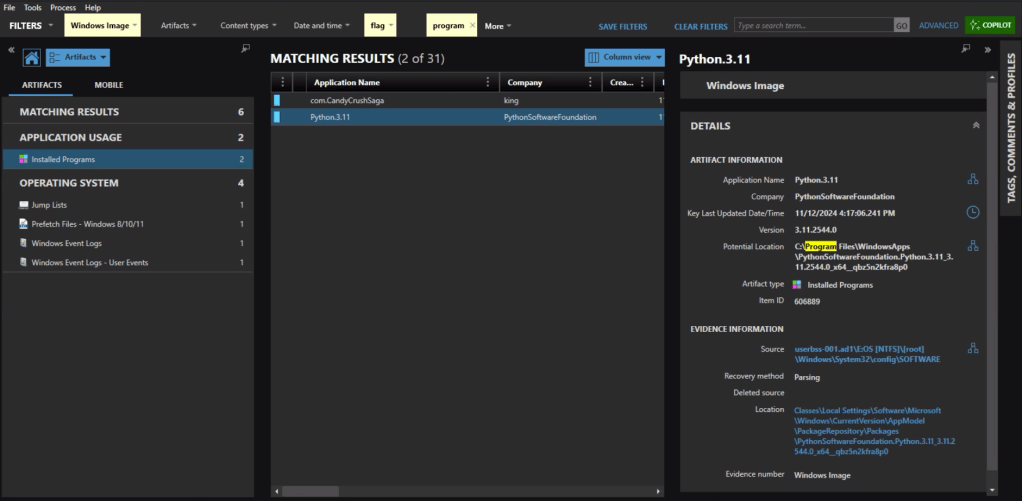
The question itself practically gives it away, but we’ll check the Installed Programs to be safe. Sure enough the user had Python installed.
Event ID 4720 is a Windows Security Log event that is generated whenever a new user account is successfully created on a system. The creation date for Mary’s account is 2024-09-24 15:11:51.
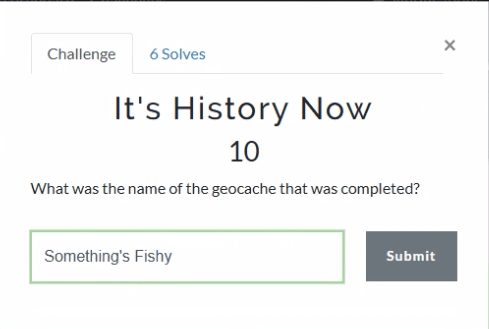
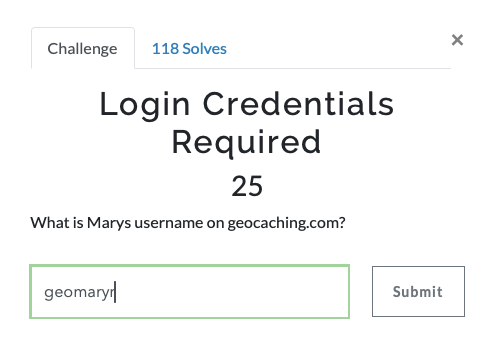
As someone who used to geocache frequently, this question was a pleasant surprise. Already having an account on geocaching.com also helped.
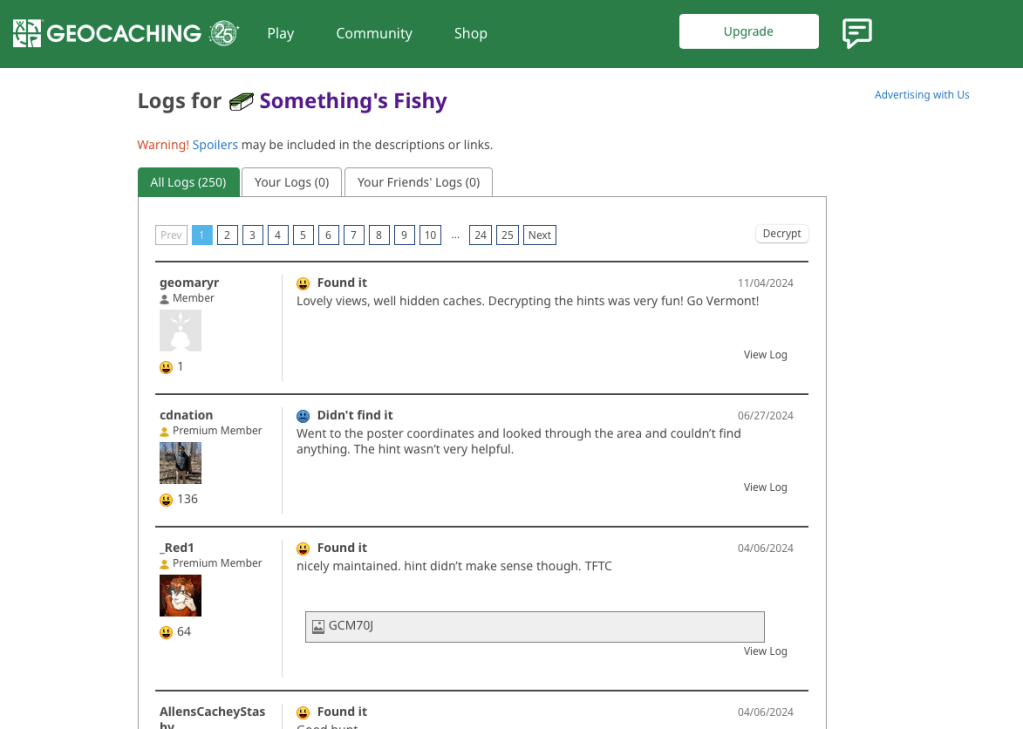
There’s a fair amount of results if you search on geocaching, but there is only reference in the history to an actual geocache location (GCM70J) titled “Something’s Fishy.”
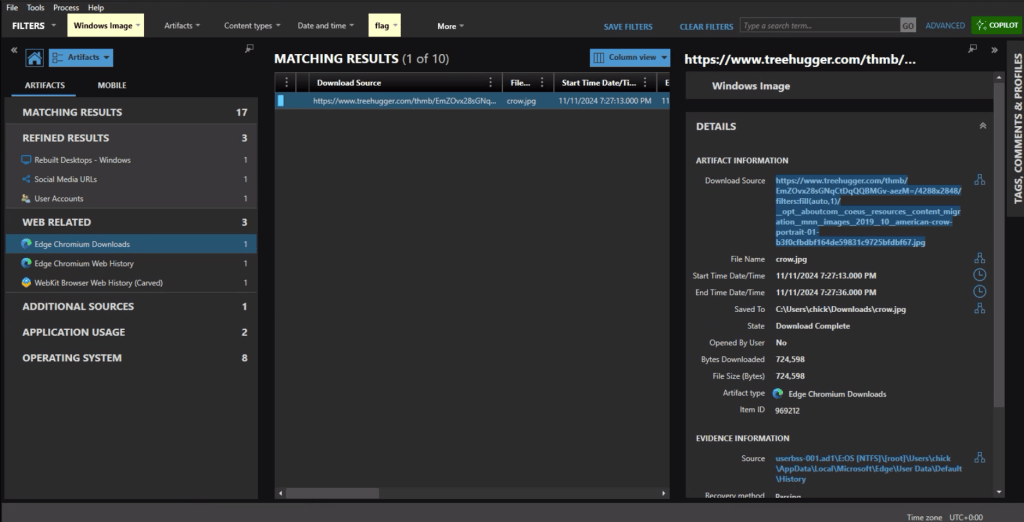
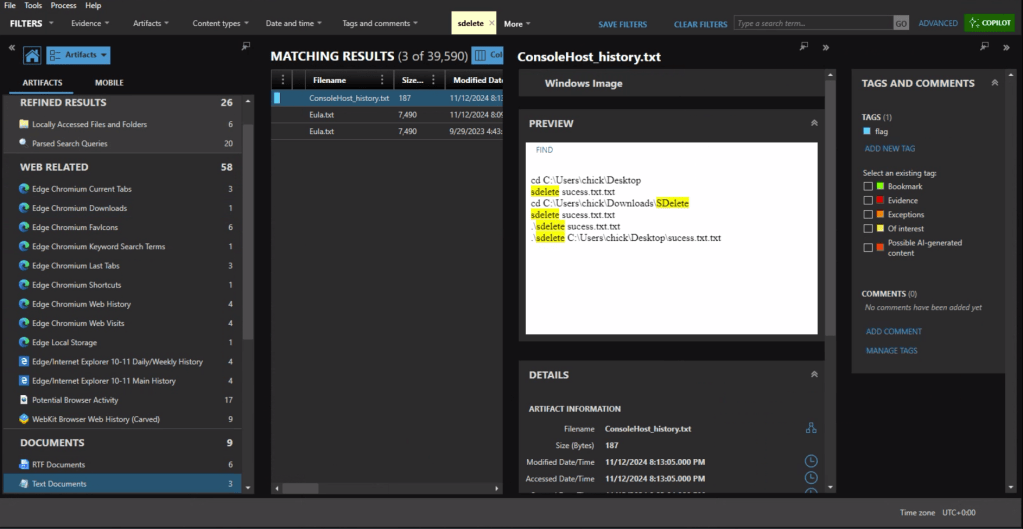
First we need to identify what counter-forensics tools may have been in use. In the user’s download activity we see that SDelete was downloaded.
If we look at the PowerShell history, ConsoleHost_history.txt, we can see that the command sdelete success.txt.txt was executed.
There are multiple evidence items indicating that the user was also using Proton Mail on the device with the account hackergotyou@proton.me.
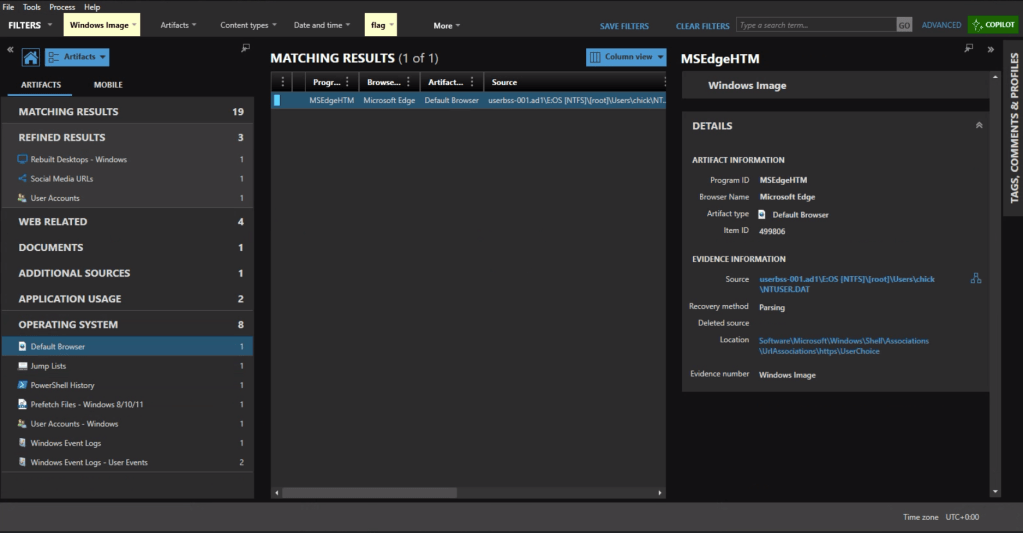
The default browser can be identified from the Registry at Software\Microsoft\Windows\Shell\Associations\UrlAssociations\https\UserChoice. In this instance the user was using Edge, the default, as their browser.
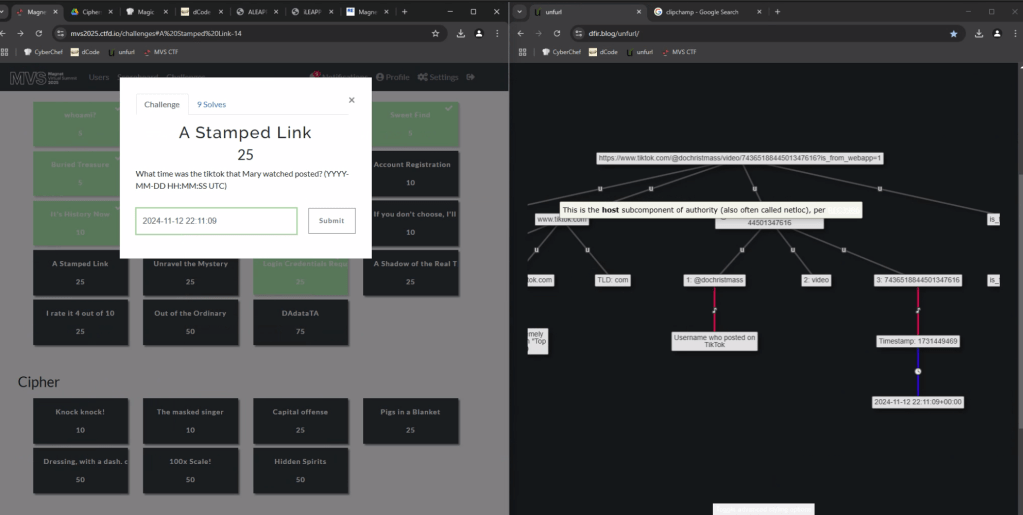
To get the time the video was posted, we can copy the url into UNFURL. This reveals the timestamp the video was posted as 2024-11-22 22:11:09.
Again with a filter on ‘geocaching’ we see a fair amount of activity. There is a url with “join” that appears to be part of the user sign in, including username=geomaryr
We also have an entry under Edge Chromium Autofill, as the user opted to save the login ID on that page.
Lastly we can double-check the geocaching.com site with the log for “Something’s Fishy” which matches the timestamp of the web activity. geomaryr is Mary’s username on geocaching.com
The first thought would be to go to the Passwords and Tokens Refined Result. We see a hash for the chick user account. But Wait!
The key is in “Shadow.” It’s not the Windows account we’re looking for.
Looking at Installed Programs we identify that the user installed KALI in Windows Subsystem for Linux (WSL). I knew I wanted to get the /etc/shadow file from the KALI installation – but I was hitting a wall on how.
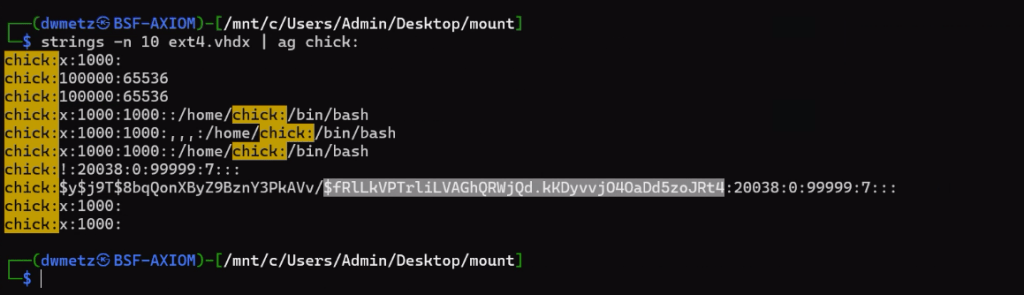
Finally I wound up exporting the ext4.vhdx (the virtual hard drive for the KALI instance) and running strings against it, and piped the results to ag (grep on steroids) with a search for ‘chick:’.
Much like the way my father would describe my shots back when we would play golf together, ugly but effective. The hash for the user account chick is $fRLLkVPTrLiLVAGhQRWjQd.kKDyvvj040aDd5zoJRt4.
There were a few more challenges under the Windows category but that was as far as I made it in the time allotted.
I hope you’ve enjoyed these walk throughs on my approach to solving the challenges.
If you’d like to access the images used for the CFT for your own training and investigation, you can find them at https://cfreds.nist.gov/all/Hexordia/2025MVSCTF. In addition to the Windows 11 image used here, there is also full file system extractions of Android and iOS, as well as two Google Takeout exports. It’s a great reference set for practicing.




















 Baker Street Forensics
/__opt__aboutcom__coeus__resources__content_migration__mnn__images__2019__10__american-crow-portrait-01-b3f0cfbdbf164de59831c9725bfdbf67.jpg)