Exploring Magnet Virtual Summit 2025 CTF Challenges, Part II (Windows)

This is part II of this series; for part I see Exploring Magnet Virtual Summit 2025 CTF Challenges (iOS).
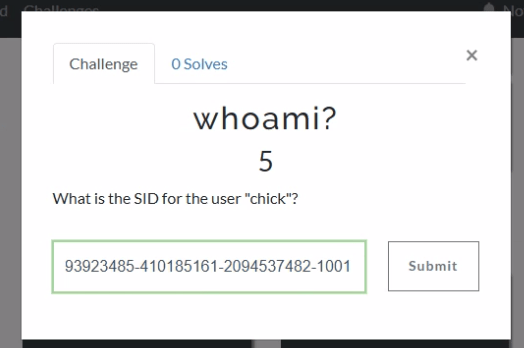

If we jump into Axiom and head to the User Accounts, we can see that the SID for chick is S-1-5-21-493923485-410185161-2094537482-1001.

Windows Event Logs will track user login and logoff activity. The primary event IDs for Windows logoff are:
1. Event ID 4647: This is logged when a user manually initiates a logoff process. It is typically associated with interactive and remote-interactive logon types and indicates user-initiated activity.
2. Event ID 4634: This is logged when a logon session is terminated and no longer exists. It can result from system actions (e.g., idle timeout or shutdown) rather than explicit user action. It often follows Event ID 4647 if the logoff was user-initiated.
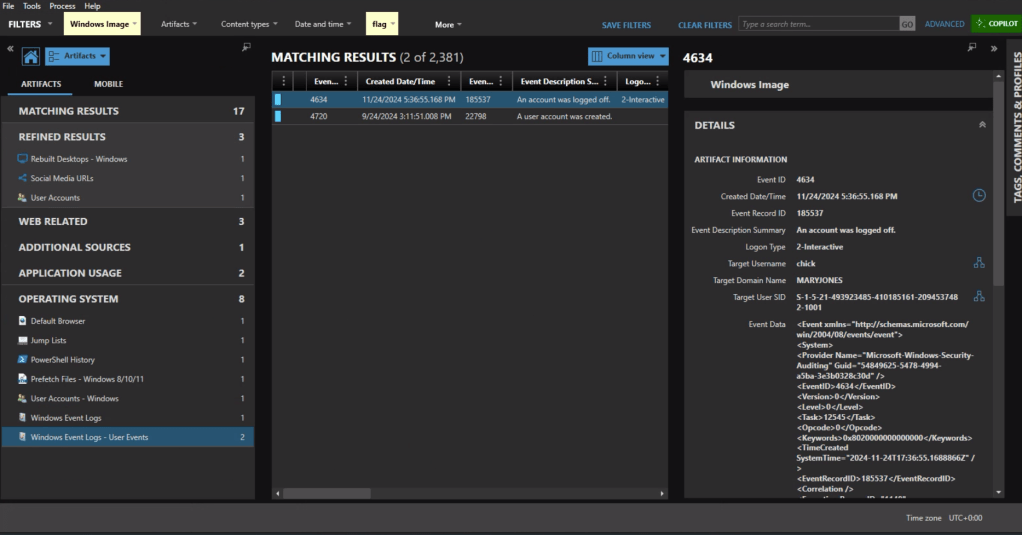
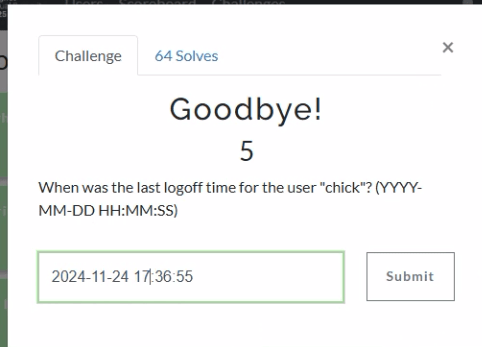
In Axiom we can find the most recent 4634 event at 11/24/2024 5:36:55 PM, formatted for the challenge as 2024-11-24 17:36:55.


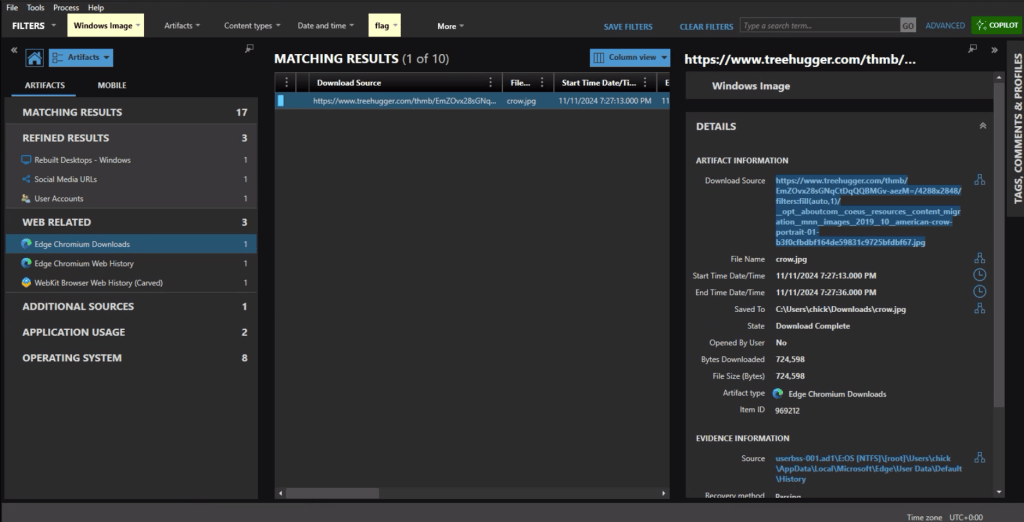
The download source from the crow.jpg URL is https://www.treehugger.com/thmb/EmZOvx28sGNqCtDqQQBMGv-aezM=/4288×2848/filters:fill(auto,1)/__opt__aboutcom__coeus__resources__content_migration__mnn__images__2019__10__american-crow-portrait-01-b3f0cfbdbf164de59831c9725bfdbf67.jpg

In the Installed Programs under Application Usage we can see that com.CandyCrushSaga was installed. This is the package name for Candy Crush.


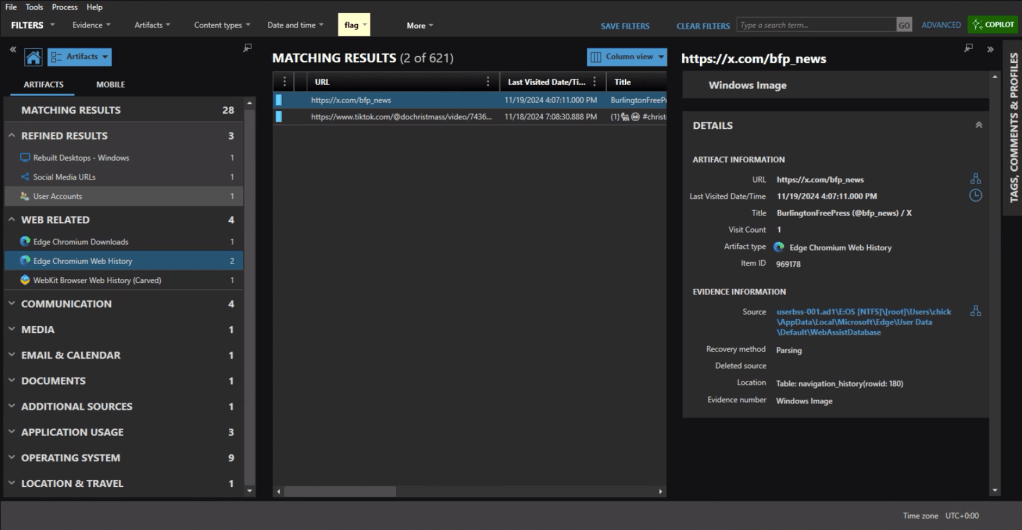
Under the Web Related artifacts, specifically Edge Chromium Web History we can see traffic to https://x.com/bfp_news which is the Twitter/X site for Burlington Free Press.

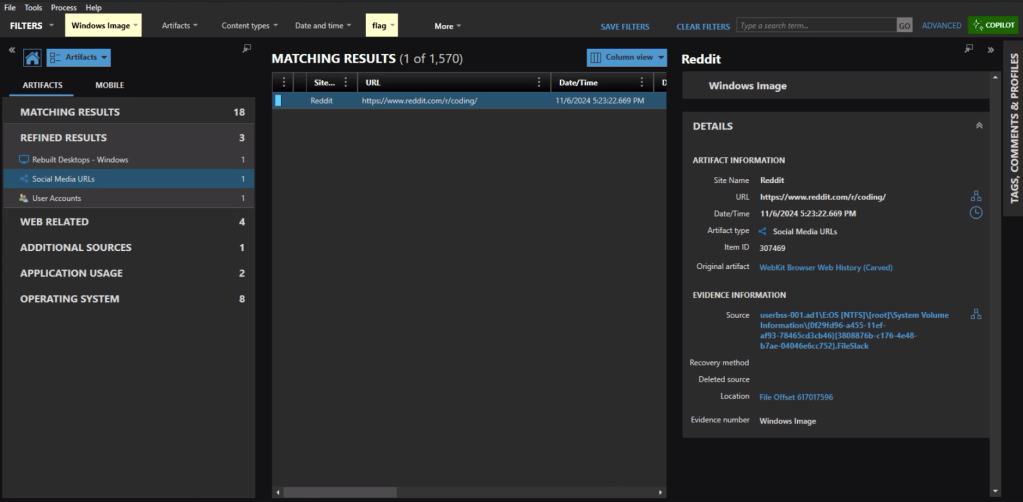
Refined Results, Social Media URLs, shows that the user visited the subreddit of https://reddit.com/r/coding.
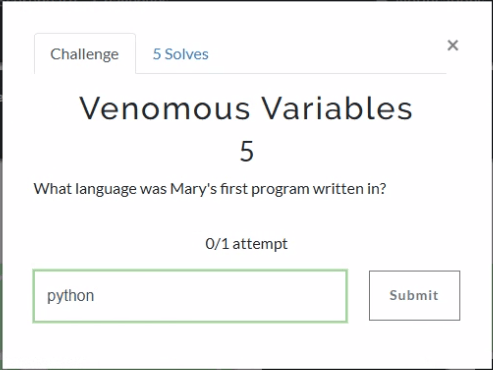
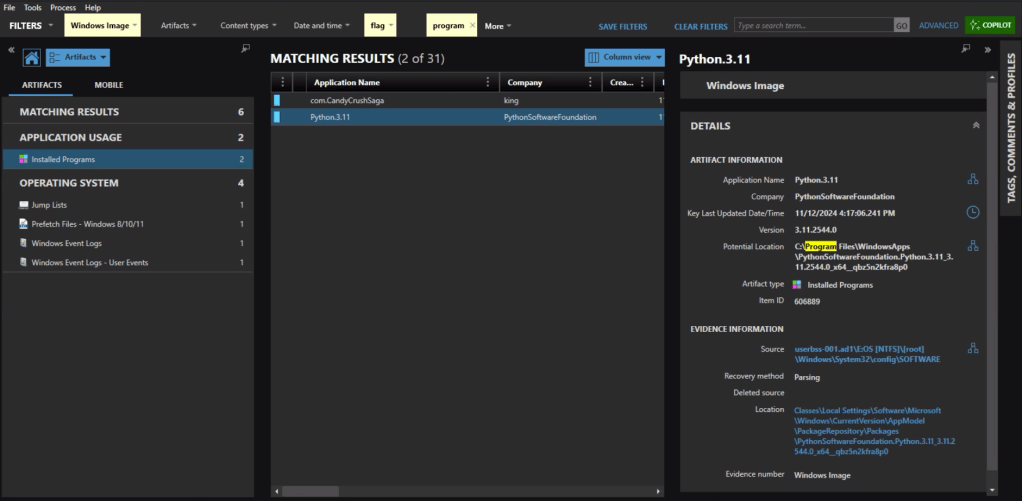
The question itself practically gives it away, but we’ll check the Installed Programs to be safe. Sure enough the user had Python installed.

Event ID 4720 is a Windows Security Log event that is generated whenever a new user account is successfully created on a system. The creation date for Mary’s account is 2024-09-24 15:11:51.

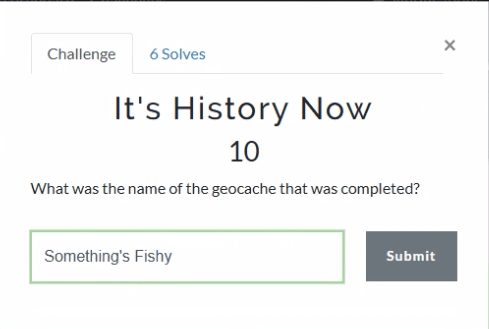
As someone who used to geocache frequently, this question was a pleasant surprise. Already having an account on geocaching.com also helped.

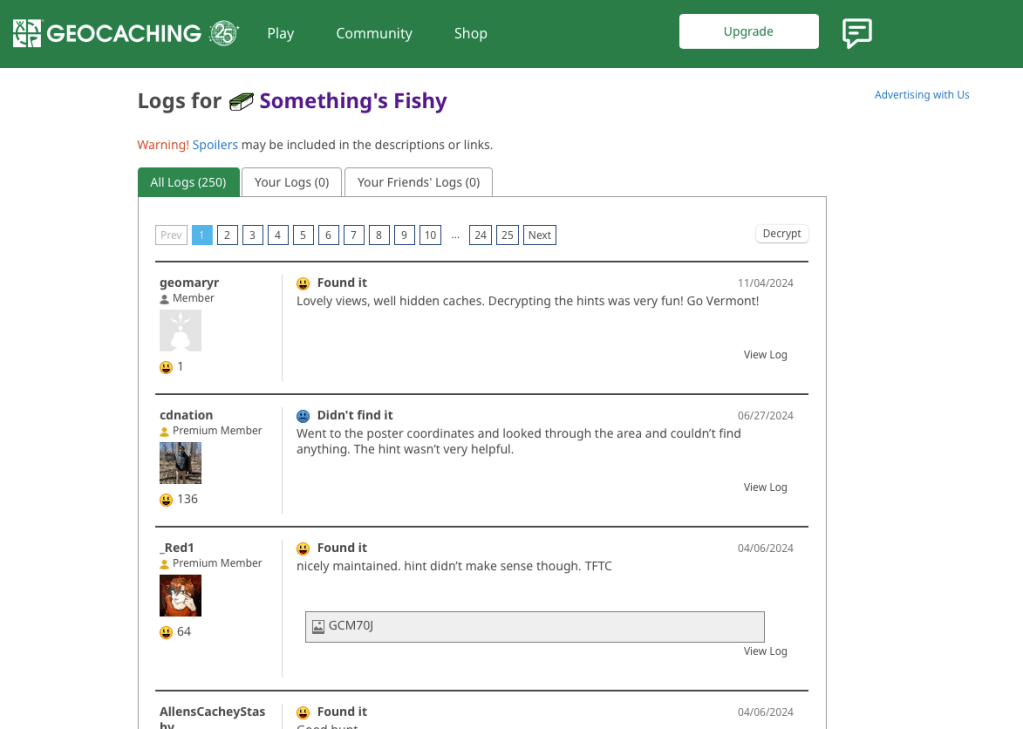
There’s a fair amount of results if you search on geocaching, but there is only reference in the history to an actual geocache location (GCM70J) titled “Something’s Fishy.”


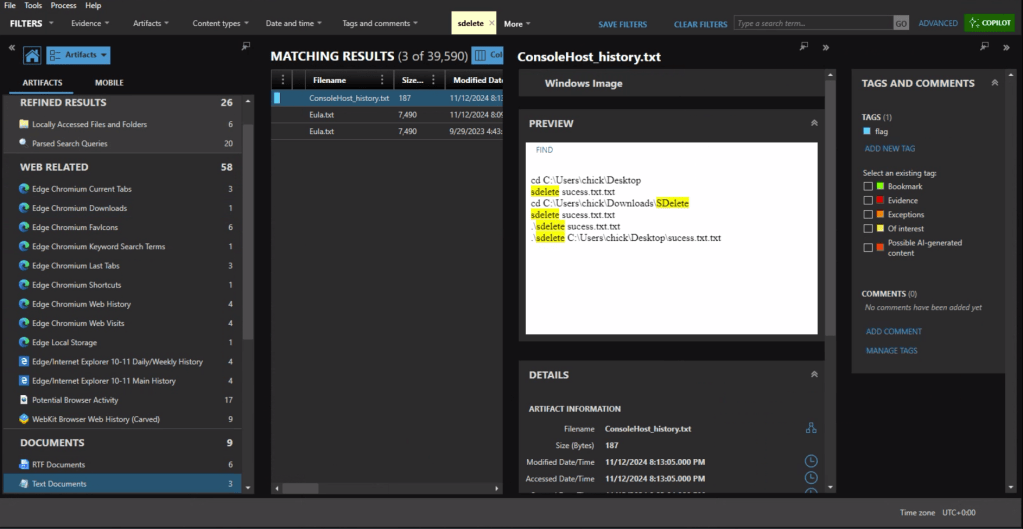
First we need to identify what counter-forensics tools may have been in use. In the user’s download activity we see that SDelete was downloaded.

If we look at the PowerShell history, ConsoleHost_history.txt, we can see that the command sdelete success.txt.txt was executed.

There are multiple evidence items indicating that the user was also using Proton Mail on the device with the account hackergotyou@proton.me.


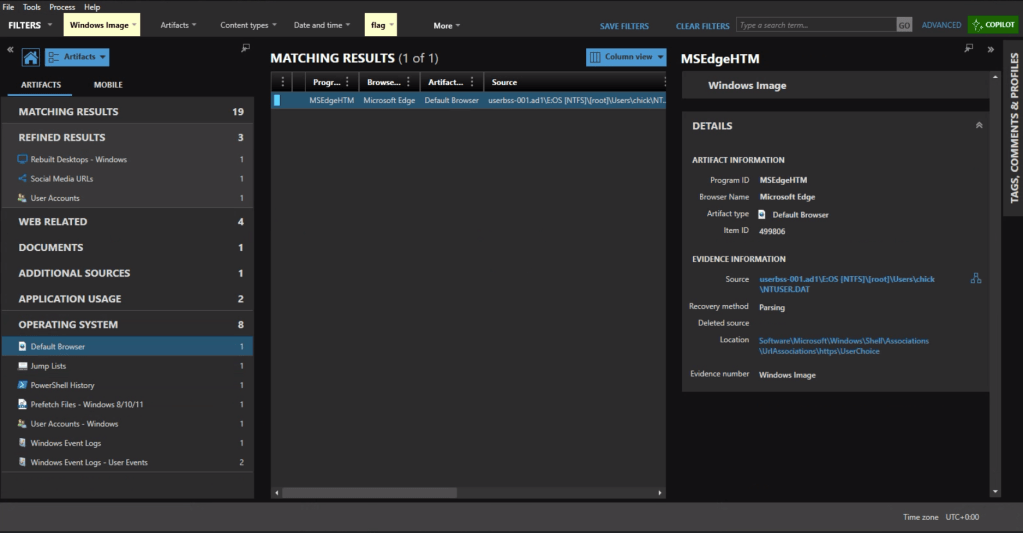
The default browser can be identified from the Registry at Software\Microsoft\Windows\Shell\Associations\UrlAssociations\https\UserChoice. In this instance the user was using Edge, the default, as their browser.

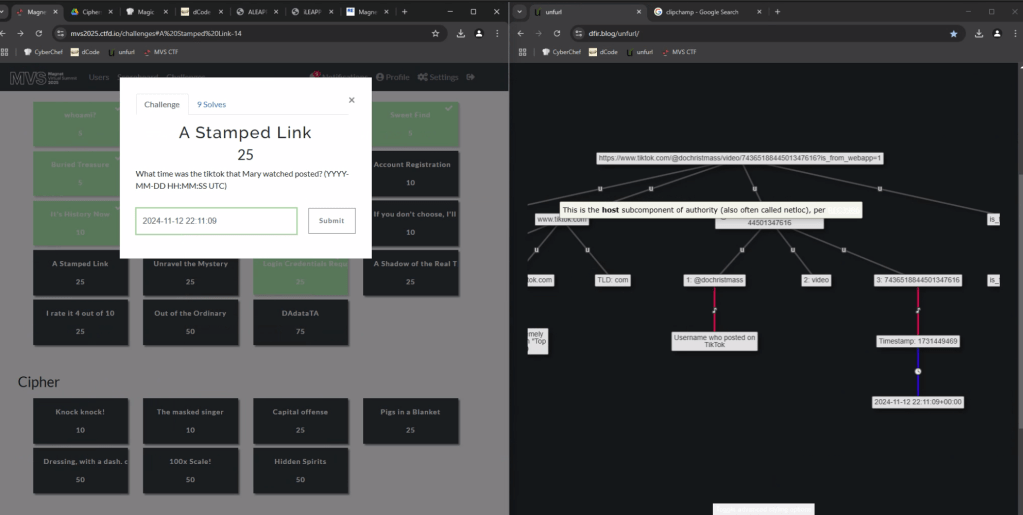
In the browser history we see that the user accessed a video at the url, https://www.tiktok.com/@dochristmass/video/7436518844501347616?is_from_webapp=1

To get the time the video was posted, we can copy the url into UNFURL. This reveals the timestamp the video was posted as 2024-11-22 22:11:09.
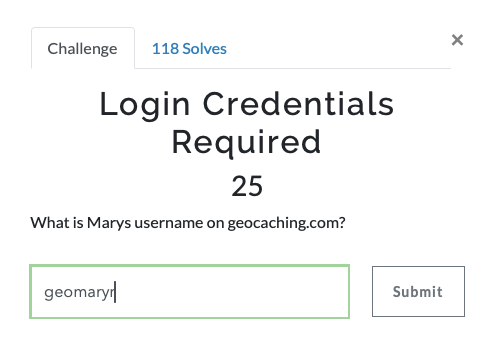
Again with a filter on ‘geocaching’ we see a fair amount of activity. There is a url with “join” that appears to be part of the user sign in, including username=geomaryr

We also have an entry under Edge Chromium Autofill, as the user opted to save the login ID on that page.

Lastly we can double-check the geocaching.com site with the log for “Something’s Fishy” which matches the timestamp of the web activity. geomaryr is Mary’s username on geocaching.com

The first thought would be to go to the Passwords and Tokens Refined Result. We see a hash for the chick user account. But Wait!

The key is in “Shadow.” It’s not the Windows account we’re looking for.
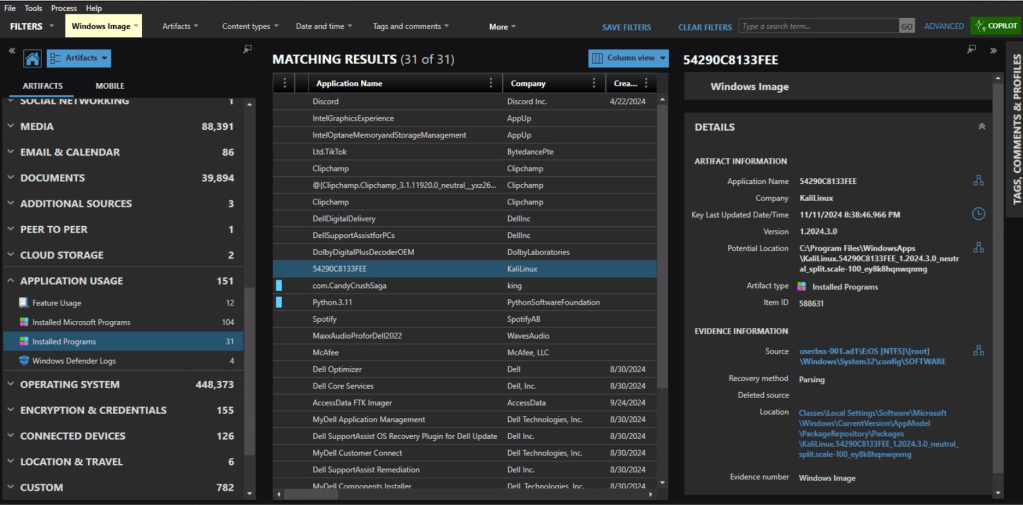
Looking at Installed Programs we identify that the user installed KALI in Windows Subsystem for Linux (WSL). I knew I wanted to get the /etc/shadow file from the KALI installation – but I was hitting a wall on how.

Finally I wound up exporting the ext4.vhdx (the virtual hard drive for the KALI instance) and running strings against it, and piped the results to ag (grep on steroids) with a search for ‘chick:’.
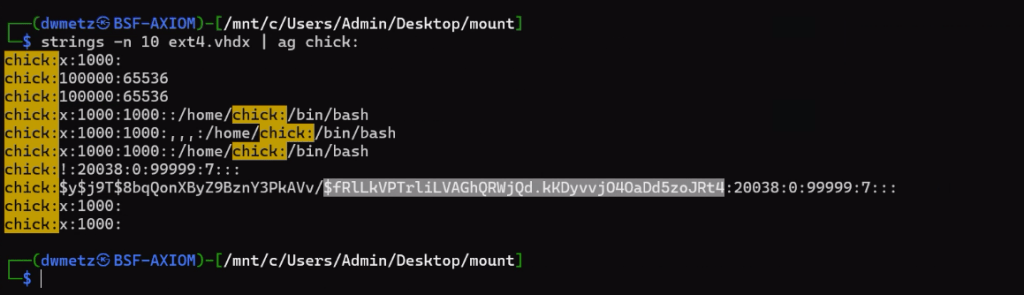
Much like the way my father would describe my shots back when we would play golf together, ugly but effective. The hash for the user account chick is $fRLLkVPTrLiLVAGhQRWjQd.kKDyvvj040aDd5zoJRt4.


There were a few more challenges under the Windows category but that was as far as I made it in the time allotted.

I hope you’ve enjoyed these walk throughs on my approach to solving the challenges.

If youโ€™d like to access the images used for the CFT for your own training and investigation, you can find them atย https://cfreds.nist.gov/all/Hexordia/2025MVSCTF. In addition to the Windows 11 image used here, there is also full file system extractions of Android and iOS, as well as two Google Takeout exports. It’s a great reference set for practicing.

Huntress CTF: Week 2 – Malware: VeeBeeEee, Snake Eater, Opendir

VeeBeeEee

First examine the file contents.

Ooof. That hurts the eyes. If we throw it into CyberChef, with the assistance of some magic (or detailed reading of the challenge), we see that it’s VB Script, which can be converted using the Microsoft Script Decoder recipe.

Copy the output to VS Code.

The syntax highlighting shows that all the ””””””””al37ysoeopm’al37ysoeopm entries are just comments, so let’s remove them.

There also seems to be an abundance of “&” obscuring the code. We’ll remove them too.

That’s a lot more readable. Looking at the code we see it’s going to use PowerShell to create a file C:\Users\Pubic\Documents\July.htm using as input the content from a pastebin URL.


Snake Eater

We’ll detonate snake_eater.exe in our lab environment.

I really enjoyed this challenge as I used my detonaRE PowerShell script to control the detonation and solve the challenge. Besides firing the malware itself, the script will initiate a pcap capture and monitor the malware process using Process Monitor. The script the converts the ProcMon output to csv for easy analysis.

Scrolling through the csv we find that the application was writing a file to:

~\AppData\Roaming\Mael Horns\flag{hashforflag}

Opendir

Let’s get Started

The link brings us to an Open Directory (duh) with lots of scripts and executables, not to mention a number of subdirectories.

The first thing to do is grab everything.

Site Sucker works well for this.

Once we’ve captured all the files and subdirectories locally we can search through them en masse. Once again in this CTF, the_silver_searcher (ag) comes into play.

Tucked away in /sir/64_bit_new/oui.txt is the flag.


Use the tag #HuntressCTF on BakerStreetForensics.com to see all related posts and solutions for the 2023 Huntress CTF.

Huntress CTF: Week 1 – Malware: Hot Off The Press, HumanTwo, PHP Stager & Zerion

Hot Off The Press

To start with let’s see what kind of file this is.

UHARC is a compression/archiving system for PC platforms, which appears to be neglected since around 2005. It achieves better compression than most other archivers, at the expense of being much slower.” 

http://fileformats.archiveteam.org/wiki/UHARC

I scoured the internet looking for a copy of UHARC to download. I’m not going to link any here as many if not all may contain malware. Since this is a Windows only tool, (or Wine under Linux), we’ll open this one in a sandboxed Windows system.

When the file extracts we are presented with hot_off_the_press.ps1.

OMG that’s a lot of obfuscation! Let’s see if we can clean this up and make it more readable. First let’s remove all the ”+”

That’s a little bit better. There’s another obfuscation method going on where specific numbers are used to represent different letters. Originally, I tried to determine the substitution by completing terms I knew. Early ahead I saw (”Sc{2}i’pt{1}loc{0}Logging”) which to me reads like ScriptBlockLogging. So all 2’s are i’s, 1’s are B’s, and 0’s are k. I do a find/replace through the script with replacements on {0},{1}, and {2}. Now it looks like a block of Base64 in the middle block. I copy it over to CyberChef and … NADA. Something’s not right.

If you look closer at the code, you’ll see that each one of the strings that had a {#} substitution in it ends with “-f” followed by other letters in quotations. The first character after -f is substituted for {0}, the next for {1}, etc. So I run the same substitution pattern on the script using the correct letters for this string this time.

Replace the {0} with L.

Replace the {1} with E.

Now we’ve got a nice clean block of Base64.

Bring that over to CyberChef for decoding and:

We’ve got a script within the script.

If you scroll down in the output, you’ll see that there’s something else encoded as well.

We’ll run that through CyberChef.

Interesting we have an encoded_flag. Let’s add URL decode to the recipe.


HumanTwo

There were 1,000 files in the zip container. Easy comparison options like file size, modification date etc. don’t help as they are the same for all the files. It’s something in the content that has to be different. How the ‘f’ am I going to find the outlier in 1,000 files?! Meld and diff are two options coming up in the Discord. I install Meld, which is really a gui for diff, and start getting a feel for it. You can compare files or directories. If doing files you could do a 3 way comparison between 3 files. But not 1000. As I was looking through the files with Meld it struck me that all of the file contents we also the same with the exception of one line.

Let’s run through all the files with the_silver_searcher and isolate on String.Equals

Scrolling down through the output we see that one is a definite outlier, or as we like to say around here, an Irregular.

Once more to CyberChef, this time from Hex.


PHP Stager

Heavily obfuscated PHP. This is going to be fun.

Let’s see if ChatGPT can give some insight into what’s going on here.

After several hours of back and forth from PHP to Python to PowerShell, online IDE’s, more ChatGPT, googling, and back again I was able to roughly reproduce the PHP in a Python and get it to execute.

Looks like we’re not done yet. In the middle of the output we can see another block of Base64. What happens if we toss that into CyberChef.

Great! Now we have a Perl script. How far down does this challenge go? It’s like those Matryoshka dolls from Russia. One inside another inside another. But wait… there’s something interesting in the Perl script.

There’s a reference to UU encoding and a string. We’ll copy the string and bring it over to another of my favorite decoding sites, dcode.fr.

Sure enough it handles the decoding and we have our flag.


Zerion

Yay (said no one), another crazy PHP file.

Looks to be using Base64 encoding, Rot13, and some other options to obfuscate the code. Back to school (ChatGPT) to see what’s going on.

Let’s copy the large encoded text block to CyberChef. We’ll apply Rot13, then Reverse the text by Character, and finally – decrypt using Base64.

And that’s our flag!


Use the tag #HuntressCTF on BakerStreetForensics.com to see all related posts and solutions for the 2023 Huntress CTF.

Huntress CTF: Week 1 – Forensics: Backdoored Splunk, Traffic, Dumpster Fire

Backdoored Splunk

Hit Start.

So we’ve got a url and a specific port. Firefox web browser yields…

So we need an Authorization header. ๐Ÿค”

Time to look at the provided files. It looks to be the export of a Splunk application.

Time to download an eval copy of Splunk and… pause. There’s probably a simpler way to attack this.

The Silver Searcher is a command line tool I picked up during the CTF and I love it. It’s like Grep on PCP.

Once installed, the base command is ag, followed by what you’re searching for, and where. So let’s do a quick search for Authorization on all the contents of this directory.

That looks interesting. A clue? One of the PowerShell scripts has Authorization and what looks to be Base64 code.

We also see a comment about the $PORT being dynamic based on the Start button. Decoding the string in CyberChef…

At this point we have all the pieces, we just need to put them together. I started to look at different ways to pass an Authorization header to a web server. There’s proxy tools galore. And then there’s the basic’s like curl. After a bit of brushing up on my syntax I had:

curl -H "Authorization: Basic [longStringFromThePowershell]" http://site:$PORT

Yay what looks like more Base64. Once more with our Chef’s hat and…


Traffic

rita was a tool I hadn’t used before but it was very easy to use. I installed it on my REMnux box and then ran it against the dataset.

I then used the command to generate an html report.

Looking through the DNS requests there’s something sketchy indeed.

Let’s go take a look at that.


Dumpster Fire

Let’s start with the_silver_searcher again and see if we have any luck with “Password”.

There’s a number of hits including references to an encryptedUsername and encryptedPassword in the logins.json file. So we’ve got some encrypted Firefox user passwords. If only there were a utility that could decrypt those. Enter firepwd.py, an open source tool to decrypt Mozilla protected passwords.

Run the script in Python and point it to the directory for the user profile (where the logins.json file is).

That’s a pretty LEET password ๐Ÿ˜‰


Use the tag #HuntressCTF on BakerStreetForensics.com to see all related posts and solutions for the 2023 Huntress CTF.