Unmasking the Moon: Comparing LunaStealer Samples with MalChela and Claude

As one tends to do on Saturday mornings with coffee in hand, I was reviewing two samples that were attributed to the LunaStealer / LunaGrabber family. Originally I was validating that tiquery was working with the MCP configuration, however what started as a quick TI check turned into a full static analysis session — and it gave me a good opportunity to put the MalChela MCP integration through its paces in a real workflow. This post walks through how that investigation unfolded, what the pivot points were, and what we found at the bottom of the rabbit hole.


The Setup

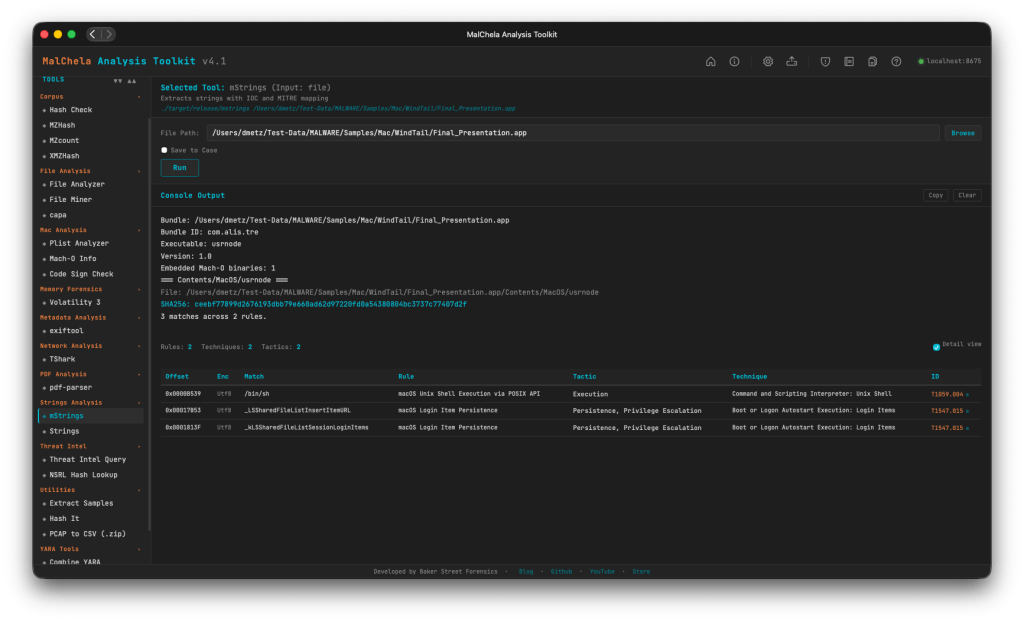
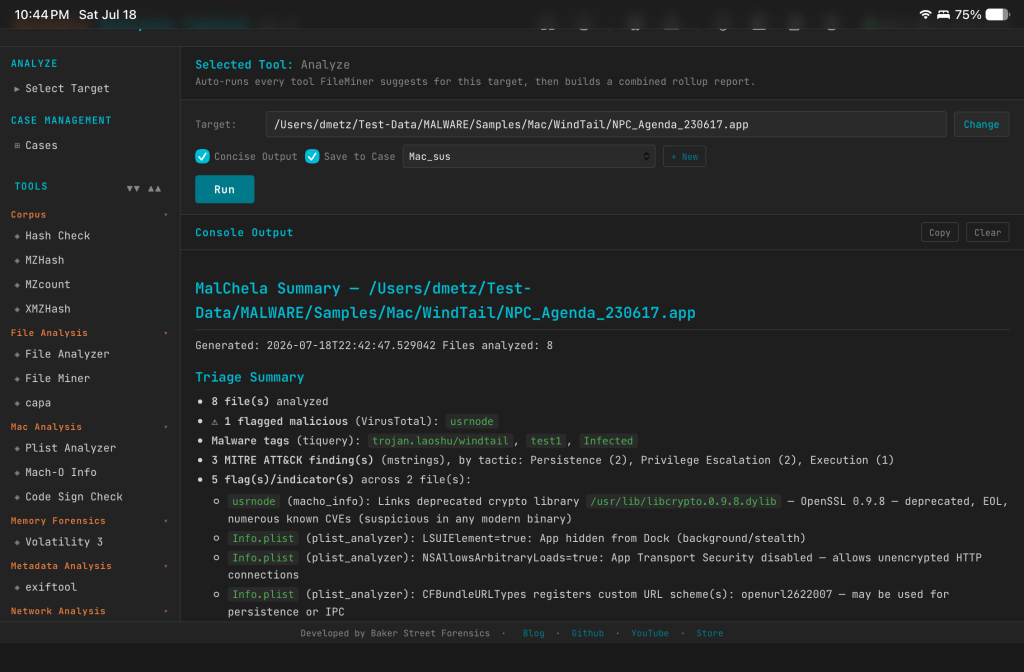
If you haven’t seen the MalChela MCP plugin before, the short version is this: MalChela is a Rust-based malware analysis toolkit I’ve been building for a while — tools like tiqueryfileanalyzermstrings, and others. The MCP server exposes all of those tools to Claude Desktop natively, so instead of dropping to the terminal for every command, I can run analysis steps conversationally and let Claude help interpret the results and suggest next moves.

This is not replacing the terminal — it’s augmenting it. The pivot decisions still come from the analyst. But having a reasoning layer that can look at mstrings output and say “that SetDllDirectoryW + GetTempPathW combination is staging behavior, and here’s the ATT&CK mapping” is genuinely useful when you’re moving fast.

Both samples were sitting in a folder on my Desktop. I had SHA-256 hashes. Let’s go.


Phase 1: Threat Intelligence Query

First move is always TI. The MalChela tiquery tool hits MalwareBazaar, VirusTotal, Hybrid Analysis, MetaDefender, and Triage simultaneously and returns a combined results matrix. Two calls, two answers.

Sample 1 (4f3b8971...) came back confirmed LunaStealer across all five sources. First seen 2025-12-01. Original filename sdas.exe. VT tagged it trojan.generickdq/python — already telling us something about the build.

Sample 2 (d4f57b42...) was more interesting. MalwareBazaar returned both LunaGrabber and LunaStealer tags. Triage clustered it with BlankGrabber, GlassWorm, IcedID, and Luca-Stealer. The original filename was loader.exe. That’s a different kind of name than sdas.exe. One sounds like a throwaway test artifact. The other sounds deliberate.

The TI results alone suggested these weren’t just two copies of the same thing. They were potentially different components of the same campaign.


Phase 2: Static PE Analysis

fileanalyzer and mstrings on both samples.

The first thing that jumped out was the imphash — f3c0dbc597607baa2ea891bc3a114b19 — identical on both. Same section layout, same section sizes, same import count (146), same 7 PE sections including the .fptable section that PyInstaller uses for its frozen module table. These two samples were compiled from the same PyInstaller loader template with different payloads bundled inside.

But the entropy diverged sharply. Sample 1 (sdas.exe) came in at 3.9 — low, even for a PyInstaller bundle. Sample 2 (loader.exe) was 6.9 — high, indicating the embedded payload is compressed or encrypted more aggressively. Combined with the file size difference (47 MB vs 22 MB), this was the first signal that what was inside each bundle was meaningfully different.

mstrings gave us 22–23 ATT&CK-mapped detections across both samples — largely the same set: IsDebuggerPresentQueryPerformanceCounterSetDllDirectoryWGetTempPathWExpandEnvironmentStringsWOpenProcessToken. Standard infostealer staging behavior. Tcl_CreateThread showed up in both, which is a PyInstaller artifact from bundling Python with Tkinter. The VT python family tag made more sense in context.


Phase 3: PyInstaller Extraction

Both samples were extracted with pyinstxtractor-ng. This is where the two samples started to diverge clearly.

Sample 1 entry point: sdas.pyc — Python 3.13, 112 files in the CArchive, 752 modules in the PYZ archive.

Sample 2 entry point: cleaner.pyc — Python 3.11, 113 files, 760 modules.

The name cleaner.pyc inside a file called loader.exe is a tell. That’s not a stealer payload name. That’s something that runs after.

The bundled library sets were nearly identical between both — requestsrequests_toolbeltCryptodomecryptographypsutilPILsqlite3win32 — same stealer framework. But Sample 2 had a unique addition: a l.js reference (mapped to T1059 — Command and Scripting Interpreter). A JavaScript component not present in the December build. The OpenSSL versions also differed: Sample 1 bundled libcrypto-3.dll (OpenSSL 3.x), Sample 2 had libcrypto-1_1.dll (OpenSSL 1.1). Different build environments, roughly one month apart.

At this point the working theory was solid: Sample 1 is a standalone stealer. Sample 2 is a later-generation dropper/installer with an updated payload and additional capability.


Phase 4: Bytecode Decompilation

decompile3 couldn’t handle Python 3.11 or 3.13 bytecode. That’s a known limitation. pycdc (Decompyle++) handles both.

sdas.pyc decompiled cleanly — the import stack made the capability set immediately obvious:

from win32crypt import CryptUnprotectData
from Cryptodome.Cipher import AES
from PIL import Image, ImageGrab
from requests_toolbelt.multipart.encoder import MultipartEncoder
import sqlite3

CryptUnprotectData for browser master key decryption. AES for the decryption itself. ImageGrab for screenshots. MultipartEncoder for structured exfiltration. Classic infostealer, nothing surprising.

cleaner.pyc was a different story. The decompiler output opened with this:

__________ = eval(getattr(__import__(bytes([98,97,115,101,54,52]).decode()), ...

Heavy obfuscation — byte arrays used to reconstruct evalgetattr, and __import__ at runtime so none of those strings appear in plain text. The approach is designed to evade static string detection. Decode the byte arrays and you get:

bytes([98,97,115,101,54,52]) → "base64"
bytes([90,88,90,104,98,65,61,61]) → b64decode("ZXZhbA==") → "eval"
bytes([90,50,86,48,...]) → "getattr"
bytes([88,49,57,112,...]) → "__import__"

Standard Python malware obfuscation. But buried further down in the decompile output was a large binary blob — a bytes literal starting with \xfd7zXZ. That’s the LZMA magic header.


Phase 5: LZMA Stage 2 Extraction

The blob was located at offset 0x17d4 in the pyc file. Extract and decompress it:

import lzma
blob = open('cleaner.pyc', 'rb').read()
idx = blob.find(b'\xfd7zXZ')
decompressed = lzma.decompress(blob[idx:])
# → 102,923 bytes

One important detail: the decompression is wrapped in a try/except LZMAError block with os._exit(0) on failure. If the decompression fails — as it would in some emulated sandbox environments — the process exits silently with no error. That’s the anti-sandbox mechanism.

The decompressed payload was another obfuscated Python source using a custom alphabet substitution encoding. The final execution chain was compile() + exec(). Decoding the full stage 2 revealed everything:

The injection URL:

https://raw.githubusercontent.com/Smug246/luna-injection/main/obfuscated-injection.js

This is the live Discord injection payload. The stage 2 pulls this JavaScript file from GitHub and injects it into the Discord desktop client’s core module, persisting across restarts.

The capability set from stage 2:

  • Anti-analysis checks on startup: process blacklist (~30 entries including wiresharkprocesshackervboxserviceollydbgx96dbgpestudio), MAC address blacklist (80+ VM prefixes), HWID blacklist, IP blacklist, username/PC name blacklists
  • Discord token theft from all three release channels (stable, canary, PTB)
  • Browser credential theft across 20+ Chromium and non-Chromium browsers
  • Roblox session cookie harvesting (.ROBLOSECURITY= targeting with API validation)
  • Desktop screenshot capture
  • Self-destruct: ping localhost -n 3 > NUL && del /F "{path}"

The ping delay is a simple trick — the 3-second wait lets the process fully exit before the delete fires, so the file removes itself cleanly after execution.


What MalChela + MCP Added to This Workflow

The honest answer is: speed and synthesis.

tiquery hitting five TI sources in one call versus five separate browser tabs or CLI invocations is a meaningful time saving, but that’s the surface benefit. The deeper value showed up in the mstrings step — getting ATT&CK-mapped output with technique IDs alongside the raw strings meant the behavioral picture came together faster than manually correlating imports against the ATT&CK matrix.

The MCP integration meant each of those steps — TI query, PE analysis, string extraction — could happen within the same conversation context. Claude could see the fileanalyzer output and the mstrings output together and note that the entropy difference between the two samples was significant, that the identical imphash meant shared loader infrastructure, that the staging imports in mstrings were consistent with the exfil approach suggested by the TI tags. That cross-tool synthesis is where the integration earns its keep.

The parts that still required manual work: pyinstxtractor-ngpycdc, the LZMA extraction, and decoding the stage 2. Those are terminal steps on the Mac.


IOCs at a Glance

Samples:

SHA-256FilenameFamily
4f3b8971...d0sdas.exeLunaStealer
d4f57b42...24loader.exeLunaGrabber

Injection URL:

https://raw.githubusercontent.com/Smug246/luna-injection/main/obfuscated-injection.js

Self-destruct pattern:

ping localhost -n 3 > NUL && del /F "{executable}"

Imphash (shared loader stub):

f3c0dbc597607baa2ea891bc3a114b19

A full IOC list including ~60 C2 IPs, MAC address blacklists, and HWID blacklists is in the analysis report linked below.

Downloads

  • 📄 [Full Analysis Report] — Complete investigation narrative, sample properties, capability breakdown, IOC documentation, campaign timeline, and recommendations. (lunaStealer_analysis_report.pdf)
  • 🛡️ [YARA Rules — PE] — Four rules targeting the PE samples: exact hash match, shared PyInstaller stub (imphash-based), infostealer payload strings, generic PyInstaller infostealer. (lunastealer_pe.yar)

If you’re running MalChela in your environment and want to reproduce the TI query steps, the MalChela MCP plugin source is on GitHub at github.com/dwmetz/MalChela. Questions or additions to the IOC list — find me on the usual channels.


A Study in DFIR: Open-Source, Enterprise, and the Art of Analysis

Someone asked me recently how I see DFIR evolving — tooling, automation, and open-source versus enterprise platforms. It’s the kind of question that sounds like a conference panel topic, but the answer is grounded in how work actually gets done. In practice, it isn’t a binary choice. The most effective IR practitioners I’ve worked with use a combination of both commercial and open-source tools, depending on the problem in front of them.

Commercial platforms handle workflow and scale. If you’re running incident response across a large enterprise and need to triage at volume, a solid commercial solution carries weight that a collection of scripts can’t. Aggregation, case management, reporting — those layers matter when you’re briefing a CISO at 2am. Open-source, on the other hand, reacts fast. When a new artifact surfaces — a novel malware family, a Windows update exposing a new forensic data source — the OSS community often has something usable before it shows up on a vendor roadmap.

Where this gets more nuanced is support. Some vendors have excellent support — responsive, technically sharp, and genuinely useful when you’re dealing with something unusual. Others offer little more than a ticketing system and a stale knowledge base. Open-source has the same variability, some projects have highly engaged maintainers who respond quickly to well-written issues, while others are effectively one-person efforts maintained when time allows. Neither model guarantees anything.

Cost follows a similar pattern. Open-source tools remove licensing fees, but they introduce operational overhead — staying current, understanding changes, and troubleshooting issues in your own environment. That cost is real, and it tends to stay invisible until something breaks at the wrong time.

Open-source tools also serve another purpose, they’re a sanity check. When something looks significant during analysis, validating it with an independent tool that parses the same artifact differently adds confidence. This isn’t about distrust — it’s about applying defense-in-depth to analysis itself. If two independently built tools reach the same conclusion, the finding is stronger. If they don’t, that discrepancy is worth investigating before it makes its way into a report.

That ties into a broader issue, treating tools as black boxes. A result comes out, it gets documented, and it ends up in the report with very little scrutiny of how it was produced. Knowing which tools to trust means understanding what they’re actually doing under the hood. The fix is simple, but often ignored, read the release notes. Also, if a tool burned you two years ago, verify whether that’s still true. Vendors iterate. OSS projects iterate. Hanging onto an old assumption is an easy way to miss something useful. And “well-known” doesn’t mean “complete” — every tool has blind spots, and knowing where they are is part of the job.

All of this becomes more relevant when you look at how AI and automation are being positioned in DFIR. There are real capabilities being built, but there’s also a lot of noise. What’s consistently improving is automation around repeatable tasks — collection, parsing, triage. That matters. It allows a competent analyst to move faster and cover more ground. What hasn’t changed is the part that requires judgment: understanding context, recognizing when something doesn’t fit, and knowing what question to ask next. That intuition comes from experience, and there’s no real shortcut for it.

One shift that’s been more interesting is how many practitioners are now building their own tools. The barrier to entry has dropped. You don’t need to be a full-time software engineer to create something useful. If you understand the artifacts and can write a working parser in Python or Rust, you can build something that solves a real problem. That kind of domain-specific tooling — built by someone who understands what they’re looking for — is often more effective than a generic solution adapted to fit a forensic use case. It also reinforces the same principle, the more you understand the tooling, the less you rely on it blindly.

Use what works. Know its limits. Validate across tools when it matters. Don’t let a bad experience with an old version close a door. And write it down when something’s worth sharing.