

A short while back, I released a pair of tools for building MD5 hash sets — one targeting known-good gold builds, the other designed for scanning malware corpora. The goal was simple: generate hash sets that could be used in forensics tools like Axiom Cyber to flag IOC matches during case processing.
Recently, I hit a familiar problem: I had a hash and wanted to know if that file existed in my malware library. Step one was updating my tooling to support SHA256 — the modern standard for hash sharing — and regenerating the hash sets. That part worked. I could search for a hash and confirm whether it appeared in my set.
But what if I got a match?
At that point, I realized: I had no way to correlate the match back to the original file. With ~30,000 samples in the library, “just eyeballing it” wasn’t an option.
As I’ve been coding up new tools — or revisiting earlier ones — I’ve discovered that rabbit holes have rabbit holes.
So I updated the SHA256 tool to not only generate a hash set, but also produce a .tsv lookup table mapping each hash to its full file path. This made the sets usable both in forensics platforms and for custom lookups in more ad hoc workflows. As they say: necessity is the mother of intention.
Of course, that led to another realization. I now had four hashing tools — two for MD5 (MZ and non-MZ), and two for SHA256. The “Hashing Tools” section in MalChela was getting a bit crowded.
Back to the drawing board.
The Result: Three Unified Tools
I consolidated and upgraded everything into three tools — all of which support both CLI and GUI usage.
#️⃣ MZHash (replaces mzmd5)
• Uses YARA to recursively scan for files with an MZ header (i.e., Windows executables and DLLs)
• Generates one hash file per selected algorithm: MD5, SHA1, SHA256
• Also creates a .tsv lookup file for each, mapping hashes to paths
cargo run -p mzhash /directory/to/scan -- -a MD5 -a SHA1 -a SHA256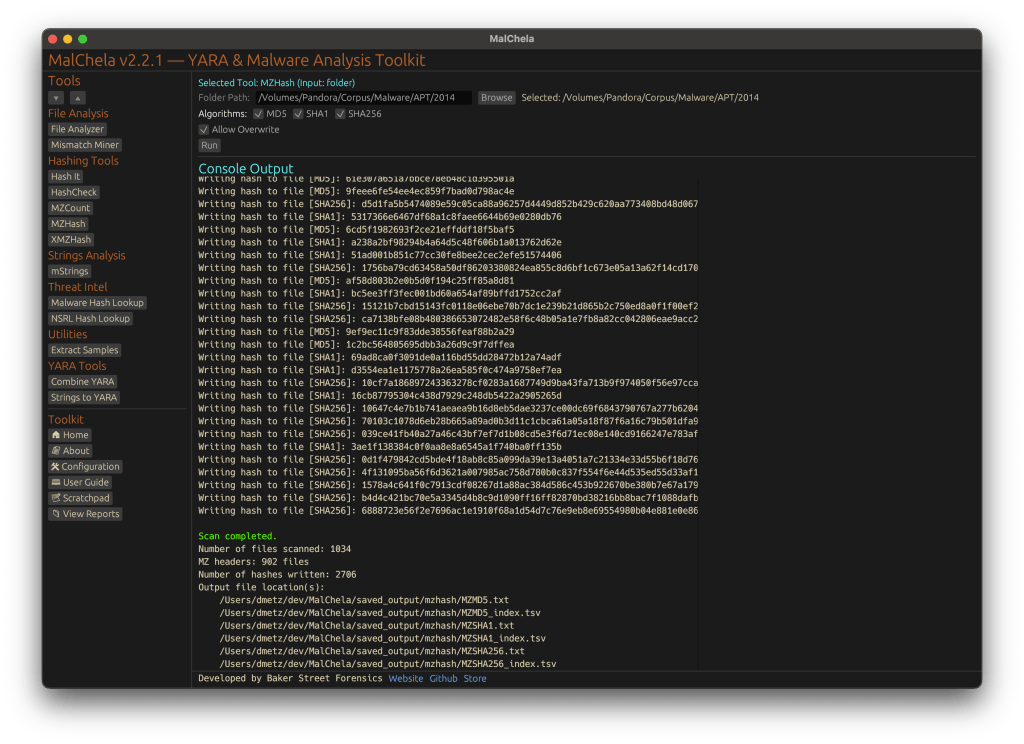
Via GUI, you can browse to the folder and check boxes for each algorithm.
🌐 XMZHash (replaces xmzmd5)
• Uses YARA to skip over files with MZ, ZIP, or PDF headers
• Hashes everything else — ideal for surfacing Linux, Mac, or unusual samples from a mixed malware corpus
• Also supports .tsv lookup file generation
cargo run -p xmzhash /directory/to/scan -- -a MD5 -a SHA1 -a SHA256The idea: hash what’s not obviously Windows, document-related, or un-extracted samples.

🔍 HashCheck
Okay, so naming might not be my strong suit. But this tool’s direct.
• Provide a hash value and a .txt or .tsv hash set
• It checks for matches, and if you’re using a .tsv, it shows the file path of the match
• Great for live triage, corpus hunting, or checking known-bads
cargo run -p hashcheck ./hashes.tsv 44d88612fea8a8f36de82e1278abb02f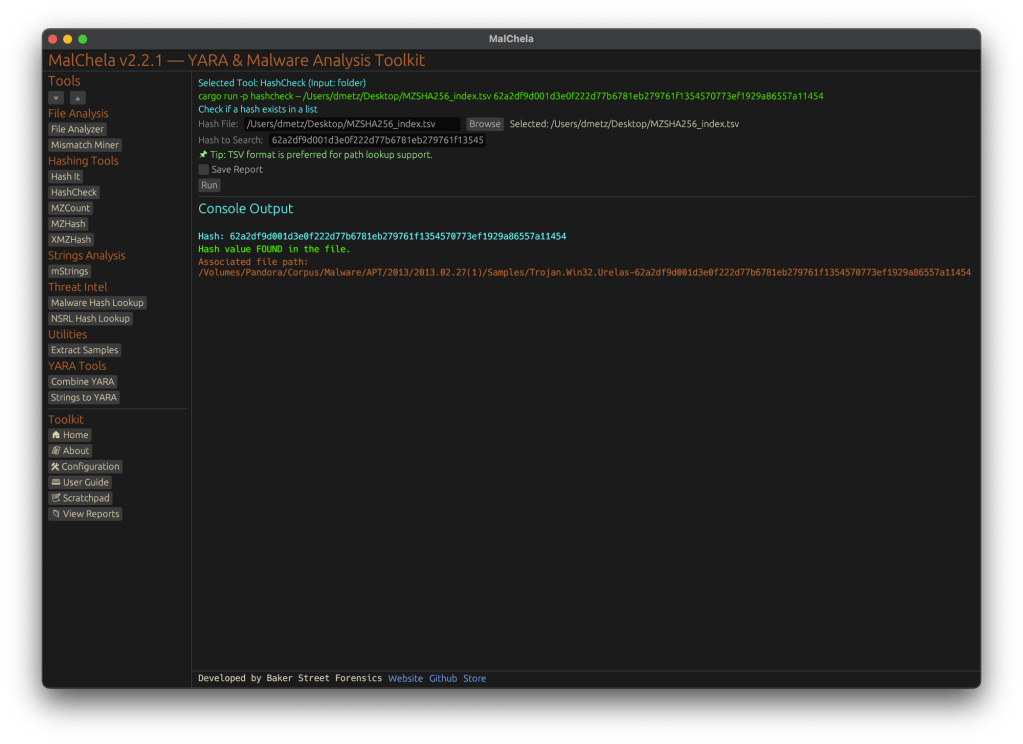
In Summary
MalChela 2.2.1 expands its hashing toolkit with the introduction of HashCheck, MZHash, and XMZHash — giving analysts faster ways to flag known-good, isolate unknowns, and build actionable sets. In this release, we’ve also said goodbye to legacy tools, standardized output saving, and doubled down on clarity across both CLI and GUI workflows.
Download: https://github.com/dwmetz/MalChela/releases
User Guide: https://dwmetz.github.io/MalChela/






































 Baker Street Forensics
/__opt__aboutcom__coeus__resources__content_migration__mnn__images__2019__10__american-crow-portrait-01-b3f0cfbdbf164de59831c9725bfdbf67.jpg)