
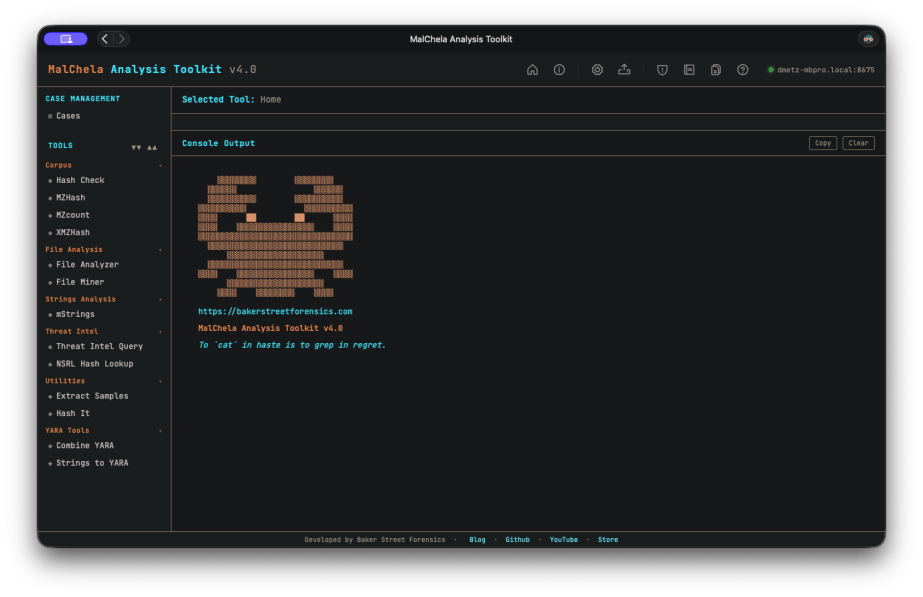
When I started building MalChela, I had a narrow problem to solve. I was doing a lot of malware triage during incident response engagements and I kept reaching for the same scattered set of tools — VirusTotal, some strings extraction, a hash lookup here, a YARA scan there. The workflow existed, but it wasn’t a workflow. It was a series of scripts and context switches dressed up as a process. I wanted something that unified those steps under one roof, ran locally, and felt like a tool a forensicator actually built.
What I got was MalChela. What I didn’t expect was how far it would go.
From Rust Experiment to Field Platform
The first version was modest. A handful of tools with a unifying CLI runner. The goal was simple: hash a malware sample, look it up, pull strings, run YARA. The kind of triage you want to do in the first ten minutes with an unknown file.
Version 2 brought a desktop GUI — MalChelaGUI, built on egui/eframe. It was a genuine step up in accessibility. Analysts who weren’t comfortable in the terminal had a way in. The toolset kept growing.
Version 3 added structure around the investigation itself. Case management landed, giving results somewhere to live across a session. MCP server integration followed, opening up a whole new mode of operation — Claude working alongside the tools, not just alongside me.
But the GUI carried freight. It meant building for a specific platform, managing a Rust GUI dependency chain, and ultimately shipping something that couldn’t easily follow MalChela into its most interesting new use case: the field.
Toby Changed Everything
If you’ve been following Baker Street Forensics for the last few months, you’ve seen the ‘TOBYgotchi‘ project take shape — a Raspberry Pi Zero 2W running Kali Linux, with a Waveshare e-ink display, PiSugar battery, and MalChela pre-installed. Boot it up, it announces itself on the network, and you’re ready to triage. And yes, I am working on making a full build of TOBY available to the public. Stay tuned…
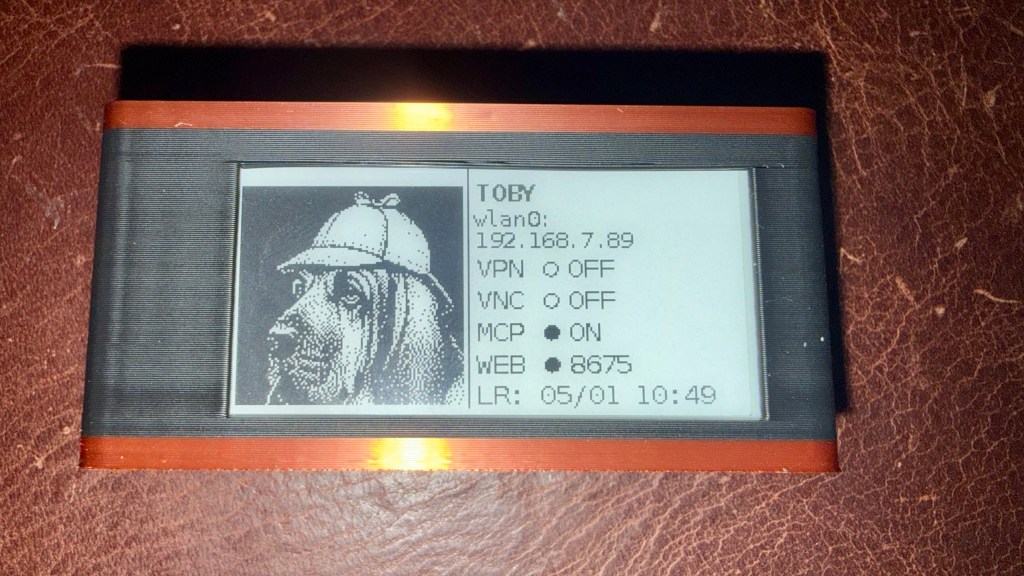
The original field kit vision was: SSH in, run tools from the CLI, pull results. Simple and functional. But the more I used Toby in practice, the more I wanted a better interface — something that worked without a terminal, something a colleague could pick up at a scene without knowing the command syntax.
MalChelaGUI on a Pi Zero 2W is possible but not comfortable. The egui overhead, the X display stack, remote display via VNC — it all works, but it’s friction. What I wanted was something lighter. Something any browser on the network could reach. Something that felt native on an iPad.
That’s what pulled me toward the PWA.
v4.0: The PWA Takes Over
MalChela v4.0 retires the desktop GUI entirely and replaces it with a Progressive Web App as the primary interface.
Every tool that lived in MalChelaGUI has been ported. Most have been improved in the process. The PWA is served locally from the server/ directory — run setup-server.sh once after building the binaries, then start-server.sh on every subsequent boot. Open any browser on the local network and you’re in.
On Toby, this is now part of autostart. Boot the Pi — battery-powered, no cables required — and the server comes up automatically. Connect from your desktop, phone or iPad directly to the PWA. No VNC, no X display overhead, no SSH tunnel. Just a browser pointing at the Pi’s IP.
And here’s the part that makes it genuinely useful in the field: you can upload files directly from whatever device you’re browsing from to the MalChela server. Phone, iPad, laptop — if it has a browser and can reach Toby on the network, it can submit a sample for analysis. The triage station travels with you, and so does the interface.
This is still a work in progress, but the direction is clear: a battery-powered Pi you can drop on a table at a scene, pull out your tablet, and start triaging — no keyboard, no monitor, no additional hardware required.
The field kit I was imagining finally snapped into focus.
REMnux Support
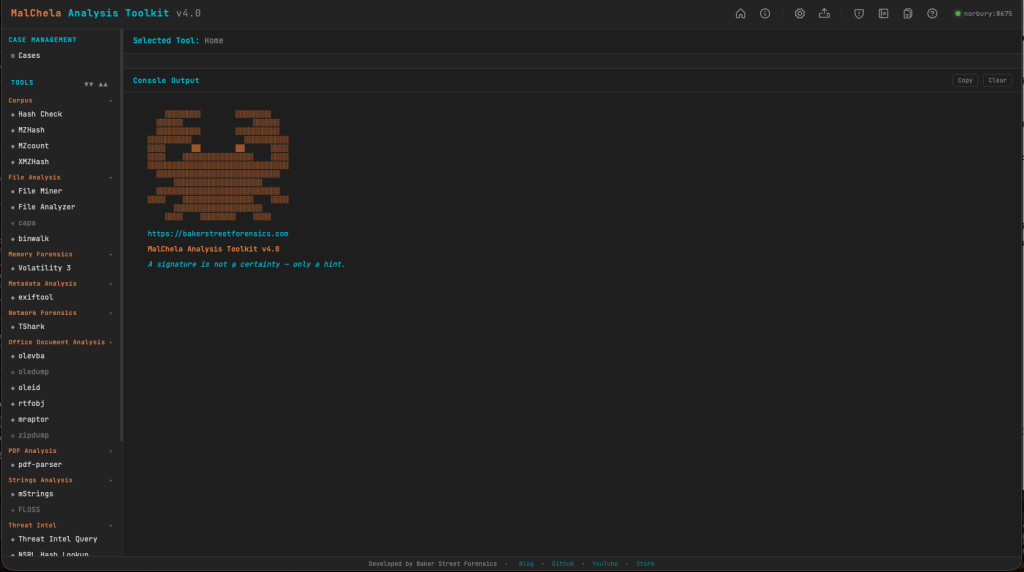
Running MalChela on a REMnux instance? It’s now even easier to load the REMnux configuration tools.yaml.
Configuration > tools.yaml > Load REMnux

then refresh the browser and you’ve got access to all the REMnux CLI tools from within MalChela.
What Else Is New
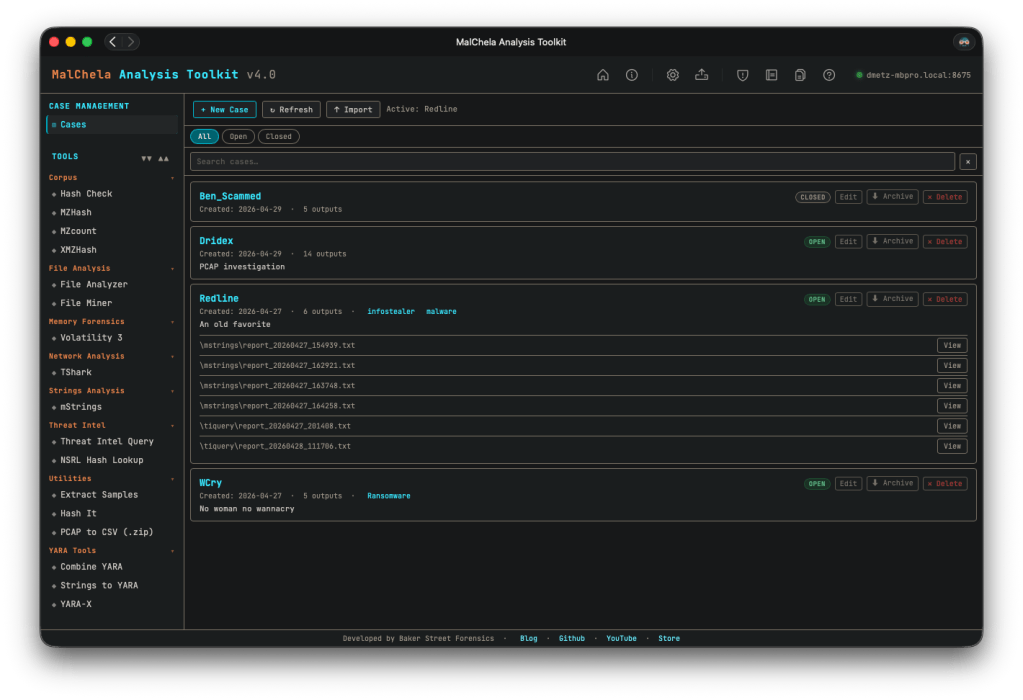
Simplified case management. This one’s been on my list for a while. In previous versions, case management was tied to starting with a file or folder — you had to know what you were investigating before you could create a case. That’s not how IR actually works. v4.0 breaks that dependency: any result can be saved to a case, and you can create a new case from within a running tool session. All the output, whether from the included cargo tools, or 3rd party add-ons like TShark or Volatility, can be saved to your case. The investigation defines the case, not the other way around.
Improved Volatility support. The Volatility integration got a meaningful UX overhaul. The reference panel has been improved, and output now streams inline within the PWA — no more spawning a separate terminal window to see results, which was one of the more awkward edges of the old GUI experience.
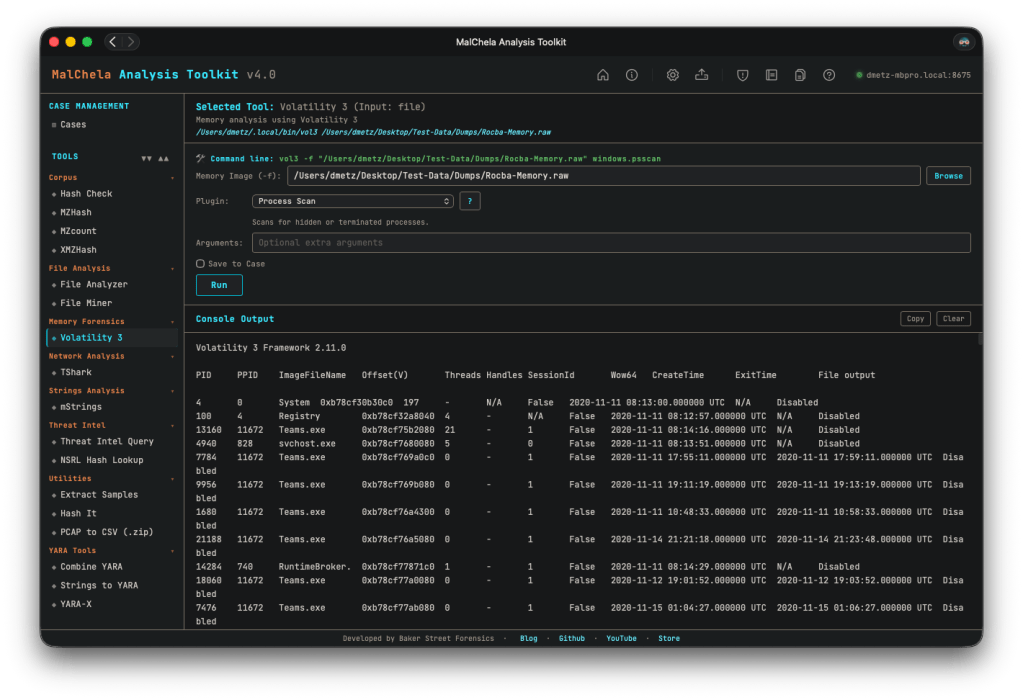
Rapid tool iteration via tools.yaml. The PWA is built around a tools.yaml configuration file that defines the tool manifest. Add a new tool, update the YAML, refresh the interface — done. No recompiling the GUI, no rebuilding the binary for a UI change. This makes extending MalChela considerably faster in practice, and opens the door for community-contributed tool configs down the road.
Try MalChela for Yourself
MalChela v4.0 is available on GitHub now: https://github.com/dwmetz/MalChela/
The CLI isn’t going anywhere. If you’re scripting triage workflows, running MalChela headless in an automated pipeline, or just prefer the terminal, everything you relied on in v3.x is still there. The PWA is the new face of MalChela; the CLI is still the engine.
Want to run MalChela on Windows? You can build it in an Ubuntu instance in WSL. Once you start the server in WSL, the Windows host can access the PWA via http://localhost:8675. (In modern WSL2 Microsoft automatically forwards WSL loopback → Windows localhost.)
If you hit any constraints, open an issue on GitHub. I tried to be as thorough as possible in my testing, but there’s only so much a one-man dev team can do. I’m happy assist in troubleshooting and improve the documentation. Rest assured you won’t get a “well, it works in my environment…”
 Baker Street Forensics
One thought on “The Long Game: MalChela v4.0”