CyberPipe v5.3: Enhanced PowerShell Compatibility and Reliability

I’m pleased to announce the release of CyberPipe v5.3, bringing critical compatibility improvements for Windows PowerShell 5.1 and enhanced reliability across all PowerShell environments.

The Problem

After releasing v5.2 with the new unified banner design, several users reported an interesting issue: CyberPipe would execute perfectly in PowerShell Core, but in Windows PowerShell 5.1, the script would complete the Magnet Response collection successfully—then immediately fail with an exit code error and stop before running EDD and BitLocker key recovery.

The collected artifacts were there. The output looked successful. But the script refused to continue.

The Root Cause

This turned out to be a known quirk in Windows PowerShell 5.1: the $process.ExitCode property isn’t always reliably populated after calling WaitForExit() on a process object. Even when Magnet Response completed successfully with exit code 0, PowerShell 5.1 would sometimes report a non-zero value, causing CyberPipe to think the collection had failed.

The Solution

Version 5.3 introduces dual validation logic that checks both the exit code and verifies that files were actually collected. If Magnet Response reports a non-zero exit code but artifacts were successfully collected, CyberPipe recognizes this as a PS 5.1 reporting issue and continues the workflow with a warning message.

The script now validates success based on what actually matters: did we collect the evidence?

Bonus: Adaptive Banners

While fixing the PS 5.1 compatibility, I also enhanced the banner display:

  • PowerShell Core: Displays the full Unicode box-drawing banner with visual flair
  • Windows PowerShell 5.1: Shows a clean ASCII banner optimized for automation, EDR deployment, and environments where Unicode rendering may be inconsistent

The script automatically detects which PowerShell edition is running and adjusts accordingly.

Testing & Validation

CyberPipe v5.3 has been tested and verified on:

  • ✅ Windows PowerShell 5.1
  • ✅ PowerShell Core 7.x
  • ✅ All collection profiles (Volatile, RAMOnly, RAMPage, RAMSystem, QuickTriage, Full)

The script now executes flawlessly in both environments with no workflow interruptions.

Compatibility Notes

This is a drop-in replacement for v5.2 with no breaking changes:

  • All command-line parameters work identically
  • Existing automation scripts require no modifications
  • All collection profiles function as before

Why This Matters

For incident response work, reliability is non-negotiable. When you’re collecting evidence from a potentially compromised system, you need tools that work consistently across different Windows environments—corporate workstations running PS 5.1, modern systems with PS Core, virtual machines, and physical hardware.

CyberPipe v5.3 ensures that whether you’re running an interactive collection or deploying via EDR automation, the script executes reliably from start to finish.

Get CyberPipe v5.3

DownloadCyberPipe v5.3 on GitHub

DocumentationGitHub Repository

As always, feedback and issue reports are welcome on the GitHub repository.


CyberPipe is a free, open-source incident response collection tool for Windows systems, automating memory capture, triage collection, encrypted disk detection, and BitLocker key recovery.
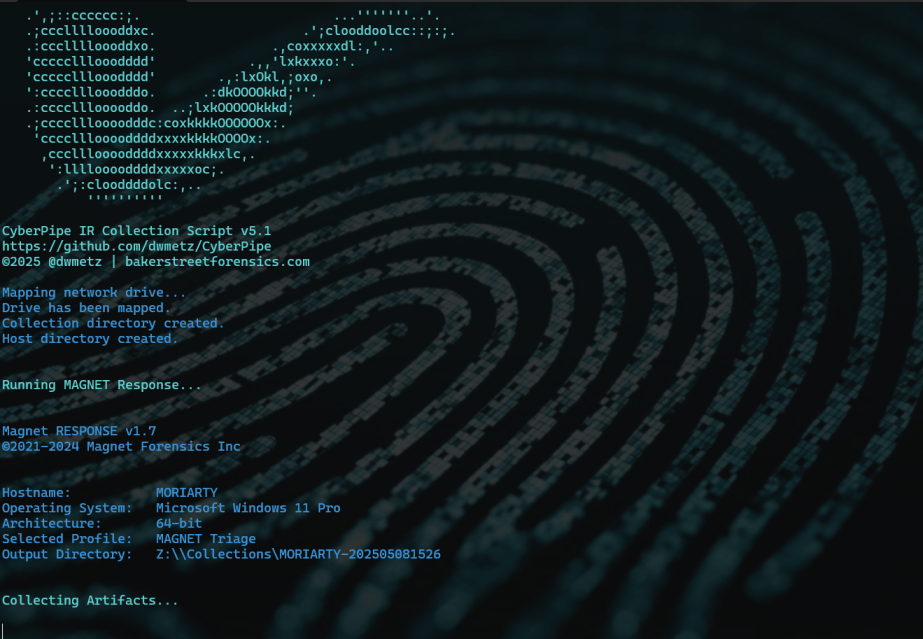
CyberPipe v5.1 – Streamlined Profiles, Better Flexibility

CyberPipe v5.1 is out with a few targeted improvements to make live response a bit smoother.

What’s New:

  • Collection profiles can now be passed directly as arguments using -CollectionProfile. No need to modify the script or hardcode anything — just run with the profile you need.
  • Improved support for saving to network shares, ideal for remote collections triggered by EDR.
  • Better error handling and logging, including clearer messages when tools are missing or when BitLocker key recovery fails.

The default profile still covers the most common triage needs:

✔️ Memory dump (RAM)

✔️ Pagefile

✔️ Volatile data (network config, hives, running procs)

✔️ System artifacts

But now, you can swap that out on the fly:

Usage Examples:

.\CyberPipe.ps1 ## default profile, capture RAM, Pagefile, Volatile and System Files

.\CyberPipe.ps1 -CollectionProfile RAMOnly ## just the RAM

.\CyberPipe.ps1 -CollectionProfile RAMSystem ## just the RAM and System Files (triage lite)

.\CyberPipe.ps1 -CollectionProfile RAMPage ## RAM & Pagefile

.\CyberPipe.ps1 -CollectionProfile Volatile ## Just Volatile data

Useful for tailoring collections based on available time, scope, or system stability — especially during incident response where conditions change quickly.

CyberPipe still captures memory with DumpIt or RAM Capture, grabs volatile system data, checks for encryption, and recovers the BitLocker key when possible. But now it’s just a bit easier to tailor to the job at hand — whether you’re responding interactively or invoking it remotely via EDR integration.

As always, no dependencies beyond what’s in the Tools folder, and no assumptions about the system you’re collecting from.

See the full changelog and usage notes in the README on GitHub.

Book Review: Cloud Forensics Demystified

At this point, we’ve all heard the expression ‘There is no cloud; It’s just someone else’s computer.’ While there is some truth to that, there are some fundamental differences when it comes to digital forensics when cloud resources are part of the investigation.

Recently, I had the chance to read Cloud Forensics Demystified: Decoding cloud investigation complexities for digital forensic professionals, by Ganesh Ramakrishnan and Mansoor Haqanee. I received a complimentary this book in exchange for an honest and unbiased review. All opinions expressed are my own.

I’ve been doing DFIR for about 15 years now. In the early days, almost all investigations involved having hands on access to the data or devices being investigated. As I moved into Enterprise Incident Response, it became more and more frequent that the devices I would be investigating would be in a remote location, be it another state – or even another country. As the scope of my investigations grew, so did my techniques need to evolve and adapt.

Cloud Forensics is the next phase of that evolution. While the systems under investigation may still be in another state or country, extra factors come into play like multi-tenancy and shared responsibility models. Cloud Forensics Demystified does a solid job of shedding light on those nuances.

The book is divided into three parts.

  • Part 1: Cloud Fundamentals
  • Part 2: Forensic Readiness: Tools, Techniques, and Preparation for Cloud Forensics
  • Part 3: Cloud Forensic Analysis: Responding to an Incident in the Cloud

Part 1: Cloud Fundamentals

This section provides a baseline knowledge of the three major cloud providers, Amazon Web Services (AWS), Google Cloud Platform (GCP) and Microsoft Azure. It breaks down the different architectural components of each, and how the platforms each handle the functions of virtual systems, networking and storage.

Part 1 also includes a broad yet thorough introduction to the different Cyber and Privacy legislation that come into play for cloud investigations. This section is not only valuable to investigators. Whether you’re a lawyer providing legal counsel for an organization, or responsible for an organizations overall security at a CISO level, this material is beneficial in understanding the challenges and responsibilities that come from hosting your data or systems in the cloud, and the different legislation and regulations that follow those choices.

Part 2: Forensic Readiness: Tools, Techniques, and Preparation for Cloud Forensics

As with enterprise investigations, logging is often where the hunting for incident indicators begins with telemetry and the correlation of different log sources. This section focuses on the different log sources available in AWS, GCP, and Azure. It also provides a detailed list of log types that are enabled by default and those that require manual activation to ensure that you have access to the most relevant data for your investigations when an incident occurs. This section also covers the different providers offerings for log analysis in the cloud including AWS Cloud Watch, Microsoft Sentinel and Google’s Cloud Security Command Center (Cloud SCC) as examples.

Part 3: Cloud Forensic Analysis: Responding to an Incident in the Cloud

As an Incident Responder, this was the section I enjoyed the most. While the first two sections are foundational for understanding the architectures of networking and storage, part three provides detailed information on how to acquire evidence for cloud investigations. The section covers both log analysis techniques as well as recommendations for host forensics and memory analysis tools. The book covers the use of commercial forensic suites, like Magnet Axiom, as well as open-source tools like CyLR and HAWK. Besides covering investigations of the three Cloud Service Providers (CSPs), there is also a section covering the cloud productivity services of Microsoft M365 and Google Workspace, as well as a brief section on Kubernetes.

Summary

Whether you’re a gray-haired examiner like me, or a neophyte in the world of digital forensics, chances are high that if you’re not running investigations in the cloud yet – you will be soon enough.  Preparation is the first step in the Incident Response lifecycle. To properly prepare for incidents you need to know both what sources will be most informative to your investigations, as well as the methodology to capture and process that evidence efficiently. 

Cloud Forensics Demystified is a comprehensive guide that covers cloud fundamentals, forensic readiness, and incident response. It provides valuable insights into cloud investigation techniques, log analysis, and evidence acquisition for major cloud providers and productivity services. The book is valuable for both experienced and novice digital forensics professionals to prepare for cloud investigations.

CyberPipe version 5.0

The latest update to CyberPipe (the code formerly known as CSIRT-Collect), has been revised to leverage the free triage collection tool, MAGNET Response. As with previous versions it also runs Encrypted Disk Detector, another free tool from MAGNET.

Script Functions:

  • Capture a memory image with MAGNET DumpIt for Windows, (x32, x64, ARM64), or MAGNET RAM Capture on legacy systems,
  • Create a Triage collection* with MAGNET Response,
  • Check for encrypted disks with Encrypted Disk Detector,
  • Recover the active BitLocker Recovery key,
  • Save all artifacts, output and audit logs to USB or source network drive.

* There are collection profiles available for:

  • Volatile Artifacts
  • Triage Collection (Volatile, RAM, Pagefile, Triage artifacts)
  • Just RAM
  • RAM & Pagefile
  • or build your own using the RESPONSE CLI options

Prerequisites:

The setup is simple. Save the CyberPipe script to a USB drive. Next to the script is a Tools folder with the executables for MAGNET Response & EDD. Before running, customize the script to select a collection profile. Run the script from the USB drive and collect away. Move on to the next PC and run it again.

Network Usage:

CyberPipe 5 also has the capability to write captures to a network repository. Just un-comment the # Network section and update the \\server\share line to reflect your environment.

In this configuration it can be included as part of automation functions like a collection being triggered from an event logged on the EDR.

Prior Version (KAPE Support):

If you’re a prior user of CyberPipe and want to use the previous method where KAPE facilitates the collection with the MAGNET tools, or have made other KAPE modifications, use v4.01.

Download:

Download the latest release of CyberPIpe on GitHub.

https://github.com/dwmetz/CyberPipe