Toby-Find: Simplifying Command-Line Forensics Tools

In digital forensics, we often take a toolbox approach — success hinges on having the right tool for the job. Some tools offer broad functionality, while others are deeply specialized. Distributions like KALI and REMnux do a fantastic job bundling a wide range of forensic and security tools, but keeping track of what’s actually installed can be a challenge.

If you’re using a graphical interface, browsing through available packages is fairly intuitive. But when you’re living in the terminal — as many analysts do — that discoverability disappears. There’s no built-in index of command-line tools or how to invoke them.

The first version of Toby-Find was born out of necessity. I teach a Network Forensics course at the university, using a custom VM loaded with tools like Zeek, Tshark, Suricata, and more. I wanted students to have an easy, searchable way to see what CLI tools were available and how to run them — without needing to memorize commands or dig through man pages.

Later, when I built Toby (a forensic-focused Raspberry Pi rig running a customized KALI install), I updated Toby-Find to include the complete CLI toolset geared toward forensics and malware analysis from the KALI ecosystem.

And because I can’t leave well enough alone, I decided to build a REMnux-compatible version too.

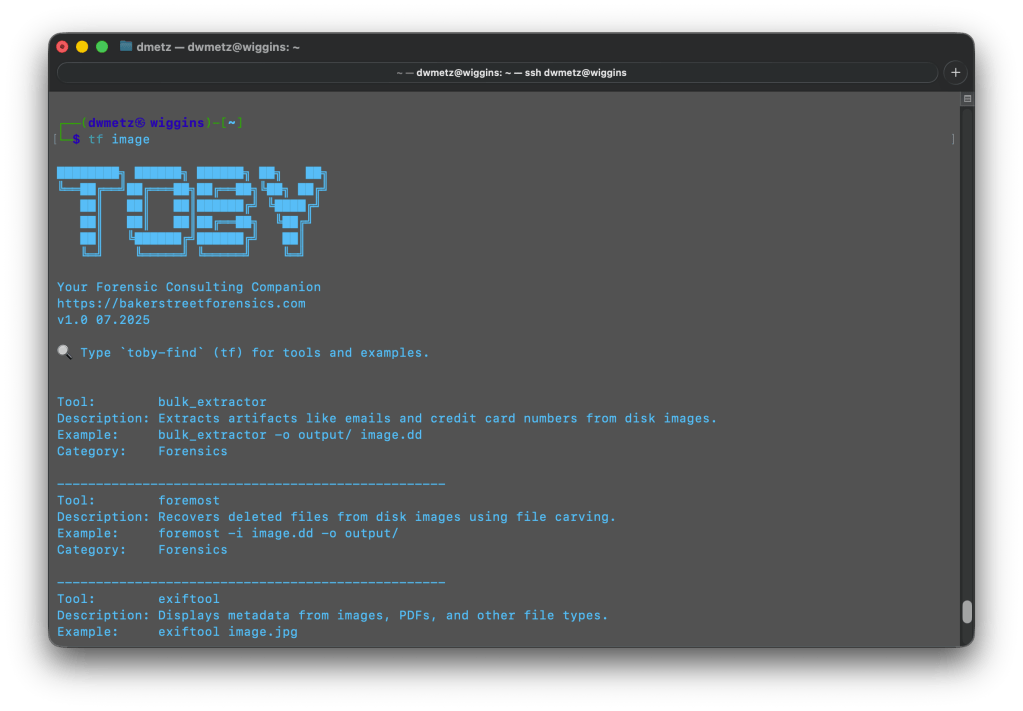
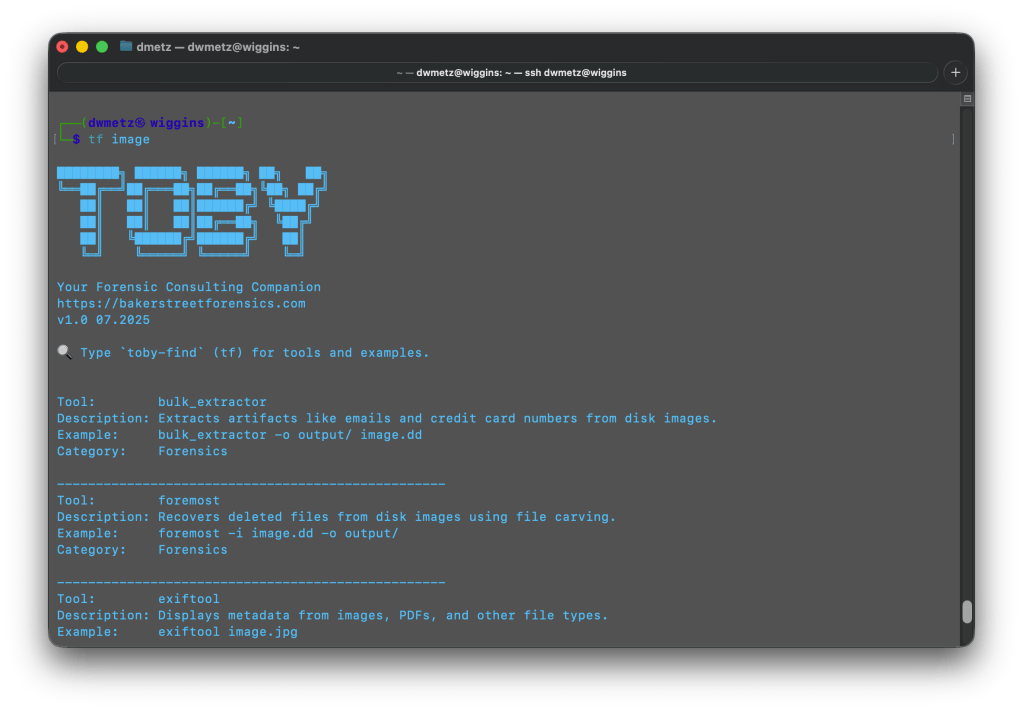
Once installed, you can launch Toby-Find (via tf, toby-find, or tf-help) from any terminal and instantly search for tools, descriptions, examples, and more.

Toby-Find on REMnux
Toby-Find on Kali

📦 Installation

1. Clone the repository:

git clone https://github.com/dwmetz/Toby.git

2. Make the install script executable:

cd Toby
chmod +x install.sh

3. Run the installer:

./install.sh

4. Follow the prompt to choose your environment (KALI or REMnux)
5. Open a new terminal or run:

source ~/.bashrc   # or ~/.zshrc depending on shell

🚀 Usage

tf [keyword]

Examples:

tf yara
tf volatility
tf hash

To view the full list:

tf-help

Whether you’re working from a custom VM, a rugged Pi, or a hardened REMnux box, Toby-Find gives you a fast, terminal-friendly way to surface the tools at your disposal — without breaking focus. It’s lightweight, portable, and easy to extend for your own lab or classroom.

You can grab the full installer from GitHub, and contributions are always welcome. If you find it helpful — or build on it — I’d love to hear about it.


Sharper Strings and Smarter Signals: MalChela 3.0.1

It’s a strange but satisfying feeling to hit version 3.0, then realize soon after you’re already back in the weeds fixing, refining, and optimizing. That’s what this 3.0.1 release is all about — a tight round of updates aimed at boosting clarity and cutting noise, especially when running mStrings or working within the FileMiner panel. Additionally, a number of optimizations came about in getting MalChela to run smoothly on Toby, and to minimize any unnecessary re-building of the binaries. This post walks through what’s new and improved.


🧠 Smarter Detections in mStrings

The mstrings tool — one of the most feature-rich in the toolkit — got a round of refinements:

  • Generic Executable detection removed: This was too noisy and matched a lot of clean files. It’s been replaced by more focused patterns.
  • Suspicious DLLs now detected more precisely: Legit Windows DLLs like ole32.dll and gdiplus.dll are now excluded unless they’re paired with indicators like GetProcAddress, LoadLibrary, or manual syscall patterns.
  • Rule cleanup and expansion: Several detections were removed, refined, or added (like packer stubs and dropper markers) to better target actual malicious behavior.
  • Tighter MITRE mapping: Each detection is now carefully aligned to a corresponding MITRE ATT&CK technique, often down to the sub-technique level.

If you’ve ever run mstrings and felt unsure which hits mattered most — or got buried in generic noise — this update should feel much cleaner.

Reminder: You can easily update the detection criteria by modifying detections.yaml.

Have a detection to contribute to the project? Submit a pull request.


🔍 Built-In MITRE Lookup (GUI)

If a detection shows a MITRE ID like T1082, you can now look it up directly inside the GUI. The new MITRE Lookup Bar sits at the top of the config panel (only when running mstrings). Paste a technique ID, hit Lookup, and it’ll open the official MITRE ATT&CK page in your browser.


🗂️ FileMiner Improvements

The FileMiner GUI panel saw some polish too:

  • “Select All” functionality: You can now batch-run tools across multiple matching files in a case — a huge time-saver during triage.

🧰 Build and Setup Updates

Two quick notes for folks cloning the repo for the first time:

  • The release.sh script now builds all binaries in release mode — one command to build everything cleanly.
  • Docs and README were updated to recommend building in –release mode from the start, especially for smoother GUI usage.

🧪 Platform Testing

Confirmed functional on:

  • macOS (Silicon)
  • Ubuntu (Desktop and minimal)
  • REMnux (custom REMnux tools.yaml)
  • Raspberry Pi (Zero 2W and 4B)
  • Windows via WSL (CLI)

Still some quirks with native Windows support due to YARA compatibility and pathing, but if you’re a Windows power user and want to pitch in, I’d love your help.


💭 Final Thoughts

MalChela isn’t trying to replace your favorite tools — it’s trying to bundle them in ways that save time, reveal context, and give you clarity during analysis. The 3.0.1 release doesn’t bring sweeping new features, but it does make the experience tighter, more predictable, and more useful where it counts.

As always, thanks to those who’ve tested it, given feedback, or just watched quietly from the shadows. 🕵️‍♂️ If you want to contribute — whether it’s rules, regex, docs, or bugs — you’ll find me at dwmetz/MalChela.

Happy hunting.


MalChela 2.2 “REMnux” Release

MalChela’s 2.2 update is packed with practical and platform-friendly improvements. It includes native support for REMnux, better tool settings, and deeper integrations with analysis tools like YARA-X, Tshark, Volatility3, and the newly improved fileanalyzer module.

🦀 REMnux Edition: Built-In Support, Zero Tweaks

When the GUI loads a REMnux-specific tools.yaml profile, it enters REMnux mode.

Screenshot of yaml configuration applying REMnux mode

Native binaries and Python scripts like capa, oledump.py, olevba, and FLOSS are loaded into the MalChela tools menu, allowing you to mix and match operations with the embedded MalChela utilities and the full REMnux tool stack. No manual configuration needed—just launch and go. MalChela currently supports the following REMnux programs right out of the box:

Tool Name Description
binwalkFirmware analysis and extraction tool
capaIdentifies capabilities in executable files
radare2Advanced reverse engineering framework
Volatility 3Memory forensics framework for RAM analysis
exiftoolExtracts metadata from images, documents, and more
TSharkTerminal-based network packet analyzer (Wireshark CLI)
mraptorDetects malicious macros in Office documents
oledumpParses OLE files and embedded streams
oleidIdentifies features in OLE files that may indicate threats
olevbaExtracts and analyzes VBA macros from Office files
rtfobjExtracts embedded objects from RTF documents
zipdumpInspects contents of ZIP files, including suspicious payloads
pdf-parserAnalyzes structure and contents of suspicious PDFs
FLOSSReveals obfuscated and decoded strings in binaries
clamscanOn-demand virus scanner using ClamAV engine
stringsExtracts printable strings from binary files
YARA-XNext-generation high-performance YARA rule scanner

If you only need a subset of tools you can easily save and restore that a custom profile.


TShark Panel with Built-In Reference

Tshark and the integrated field reference

A new TShark integration exposes features including:

  • A filter builder panel
  • Commonly used fields reference
  • Tooltip hints for each example (e.g., `ip.addr == 192.168.1.1` shows “Any traffic to or from 192.168.1.1”)
  • One-click copy support

This helps analysts build and understand filters quickly—even if TShark isn’t something they use every day. Using the syntax builder in MalChela you can use the exact commands directly in Tshark or Wireshark.


YARA-X Support (Install Guide Included)

YARA-X module in MalChela

Support for YARA-X (via the `yr` binary) is now built in. YARA-X is not bundled with REMnux by default, but install instructions are included in the User Guide for both macOS and Linux users.

Once installed, MalChela allows for rule-based scanning from the GUI,and with YARA-X, it’s faster than ever.


fileanalyzer: Fuzzy Hashing, PE Metadata, and More

Updated FileAnalyzer Module

MalChela’s fileanalyzer tool has also been updated to include:

  • Fuzzy hashing support via `ssdeep`
  • BLAKE3 hashing for fast, secure fingerprints
  • Expanded PE analysis, including:
  • Import and Export Table parsing (list of imported and exported functions)
  • Compilation Timestamp (for detection of suspicious or forged build times)
  • Section Characteristics (flags like IMAGE_SCN_MEM_EXECUTE, IMAGE_SCN_CNT_CODE, etc., for detecting anomalous sections)

These improvements provide deeper insight into executable structure, helping analysts detect anomalies such as packers, suspicious timestamps, or unexpected imports/exports. Useful for everything from sample triage to correlation, fileanalyzer now digs deeper—without slowing down.


Memory Forensics Gets a Boost: Volatility 3 Now Supported

With the 2.2 release, MalChela introduces support for Volatility 3, the modern Python-based memory forensics framework. Whether you’re running MalChela in REMnux or on a customized macOS or Linux setup, you can now access the full power of Volatility directly from the MalChela GUI.

Volatility 3 in MalChela

There’s an intuitive plugin selector that dynamically adjusts available arguments based on your chosen plugin,. You can search, sort, and browse available plugins, and even toggle output options like –dump-dir with ease.

Like Tshark, there is an added plugin reference panel with searchable descriptions and argument overviews — a real time-saver when navigating Volatility’s deep and often complex toolset.

Volatility Plugin Reference

Smarter Tool Configuration via YAML

The tool configuration system continues to evolve:

  • Tools now declare their input type (file, folder, or hash)
  • The GUI dynamically adjusts the interface to match
  • Alternate profiles (like REMnux setups) can be managed simply by swapping `tools.yaml` files via the GUI
  • Easily backup or restore your custom setups
  • Restore the default toolset to get back to basics

This structure helps keep things clean—whether you’re testing, teaching, or deploying in a lab environment.


Embedded Documentation Access

The GUI now includes a link to the full MalChela User Guide in PDF. You can also access the documentation online.

From tool usage and CLI flags to configuration tips and install steps, it’s all just a click away—especially useful in offline environments or when onboarding new analysts. I’ll be honest, this is likely the most comprehensive user guide I’ve ever written.


Whether you’re reviewing binaries, building hash sets, or exploring network captures—MalChela 2.2 is designed bring together the tools you need, and make it easier to interoperate between them.

The new REMnux mode makes it even easier to get up and running with dozens of third party integrations.

Have an idea for a feature or application you’d like to see supported — reach out to me.


GitHub: REMnux Release

MalChela User Guide: Online, PDF, Web

Shop: T-shirts, hats, stickers, and more

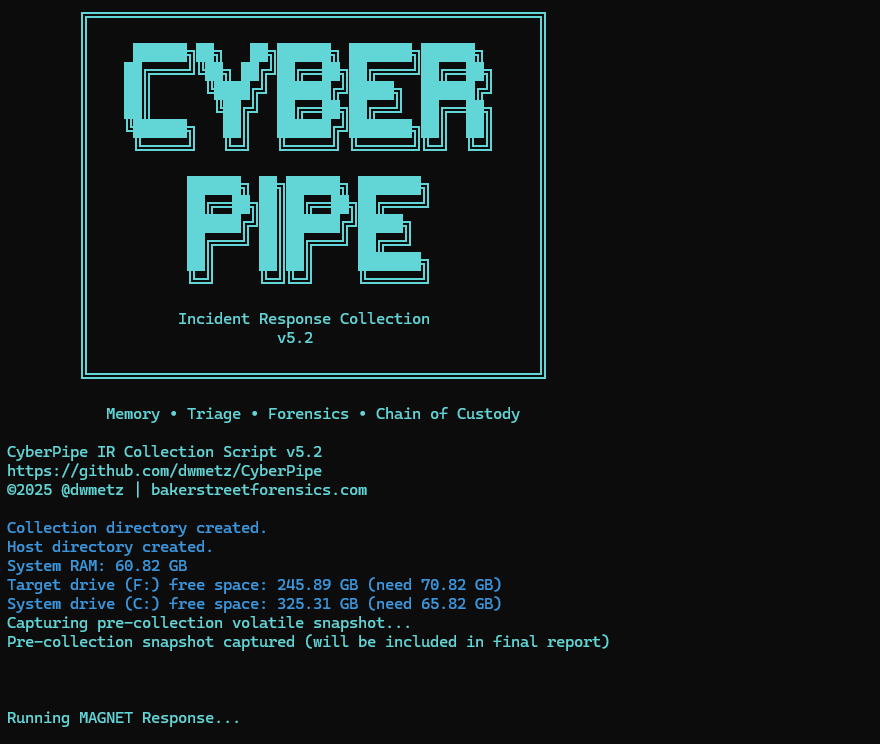
CyberPipe v5.1 – Streamlined Profiles, Better Flexibility

CyberPipe v5.1 is out with a few targeted improvements to make live response a bit smoother.

What’s New:

  • Collection profiles can now be passed directly as arguments using -CollectionProfile. No need to modify the script or hardcode anything — just run with the profile you need.
  • Improved support for saving to network shares, ideal for remote collections triggered by EDR.
  • Better error handling and logging, including clearer messages when tools are missing or when BitLocker key recovery fails.

The default profile still covers the most common triage needs:

✔️ Memory dump (RAM)

✔️ Pagefile

✔️ Volatile data (network config, hives, running procs)

✔️ System artifacts

But now, you can swap that out on the fly:

Usage Examples:

.\CyberPipe.ps1 ## default profile, capture RAM, Pagefile, Volatile and System Files

.\CyberPipe.ps1 -CollectionProfile RAMOnly ## just the RAM

.\CyberPipe.ps1 -CollectionProfile RAMSystem ## just the RAM and System Files (triage lite)

.\CyberPipe.ps1 -CollectionProfile RAMPage ## RAM & Pagefile

.\CyberPipe.ps1 -CollectionProfile Volatile ## Just Volatile data

Useful for tailoring collections based on available time, scope, or system stability — especially during incident response where conditions change quickly.

CyberPipe still captures memory with DumpIt or RAM Capture, grabs volatile system data, checks for encryption, and recovers the BitLocker key when possible. But now it’s just a bit easier to tailor to the job at hand — whether you’re responding interactively or invoking it remotely via EDR integration.

As always, no dependencies beyond what’s in the Tools folder, and no assumptions about the system you’re collecting from.

See the full changelog and usage notes in the README on GitHub.