I’m excited to share that I’ll be speaking at MITRE ATT&CKcon 7.0, October 27–28, 2026, at MITRE in McLean, VA and online.
My talk, From Strings to Techniques: AI-Augmented Malware Analysis with MalChela and Claude Desktop, looks at what happens when you give an AI co-analyst real tools instead of just a chat window. Using MalChela’s MCP server integration with Claude Desktop, I’ll walk through a workflow that goes from raw string extraction to ATT&CK-mapped findings, synthesizes results across multiple tools, and ends with something defenders can actually use: detection content.
Expect a practical look at:
ATT&CK-mapped string analysis with mStrings, turning noise into techniques
Cross-tool synthesis, letting the co-analyst correlate output from tiquery, fileanalyzer, and more
Closing the loop, from static analysis to YARA and Sigma rules ready for detection engineering
If you’re going to be in McLean, come say hello. I’m always up for talking DFIR, malware, open-source tooling, or where AI fits (and doesn’t) in our workflows. If you can’t make the trip, ATT&CKcon offers virtual attendance, so you can still catch the talk and the rest of a great lineup.
“I consider that a man’s brain originally is like a little empty attic, and you have to stock it with such furniture as you choose.” — Sherlock Holmes, A Study in Scarlet
There’s a particular kind of frustration that I suspect a lot of researchers know well: you’re in the middle of something, an analysis, a blog post, a deck, and you know you’ve written or read or bookmarked something about this before. But where? Which device? What did you call it?
For me, that somewhere spans three places: folders on my computer (best described as neuro-spicy organized chaos – rabbit holes with rabbit holes), Apple Notes full of quick thoughts, and a Safari Reading List of unread articles related to a variety of subject areas. Good information lives in all three. Finding it quickly is another matter.
So I built something to fix that, and yes by built I do mean vibe-coding played a major factor. But this was something I was doing for fun. Don’t hate the game. Adapt how you play.
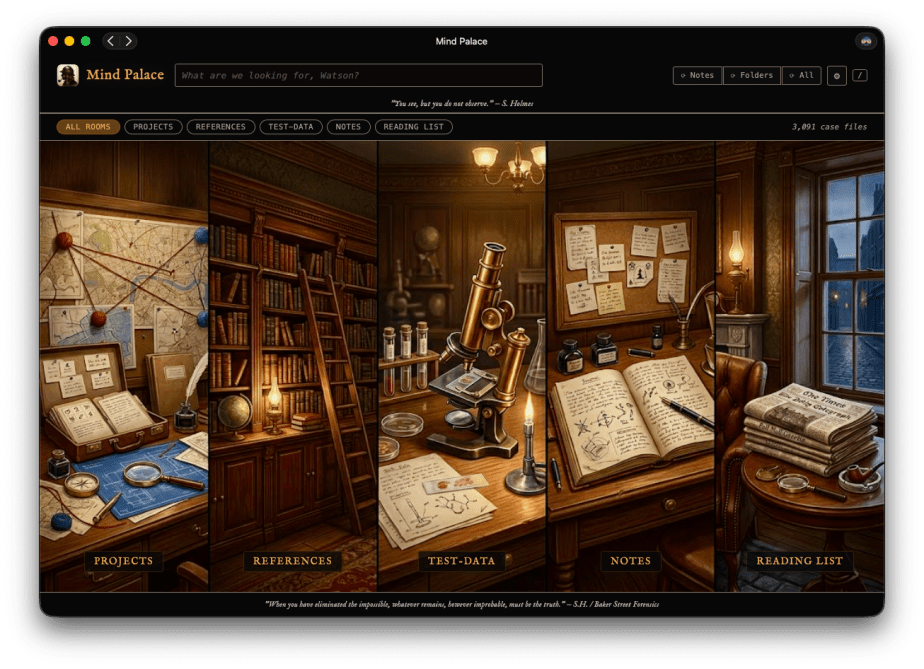
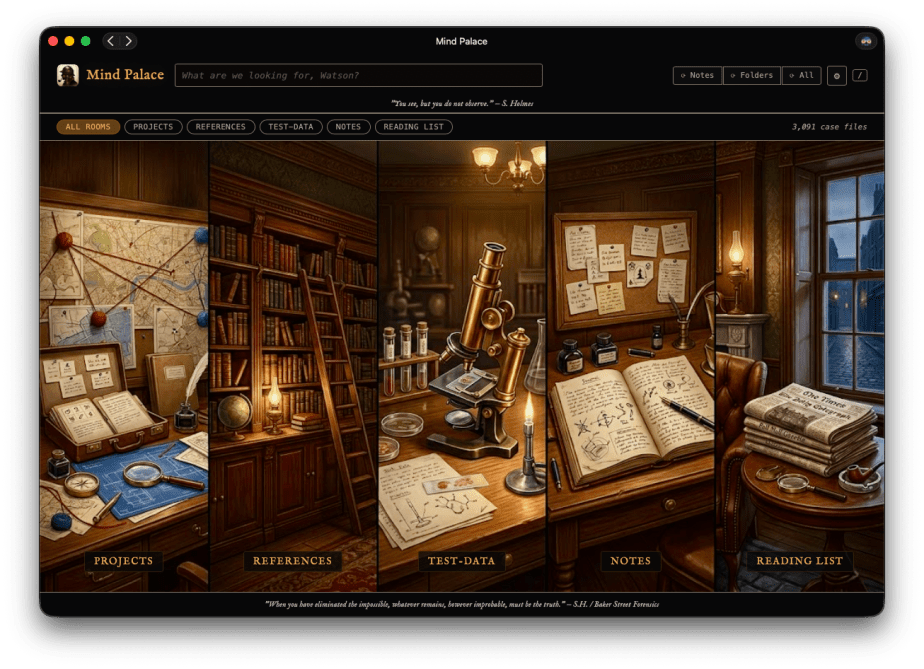
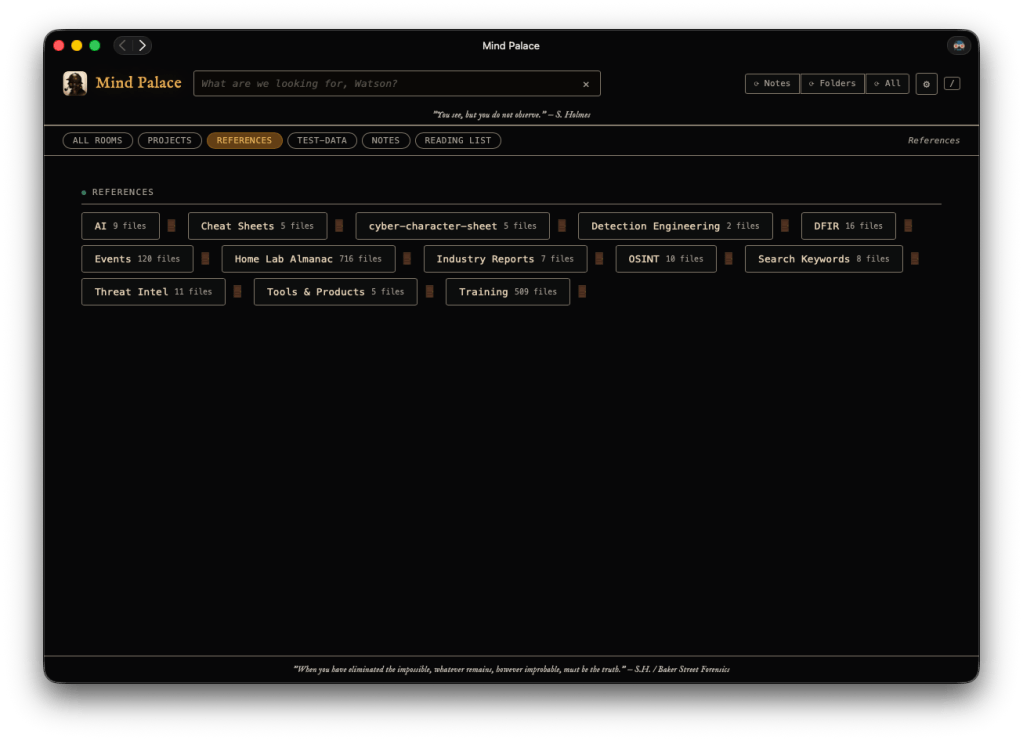
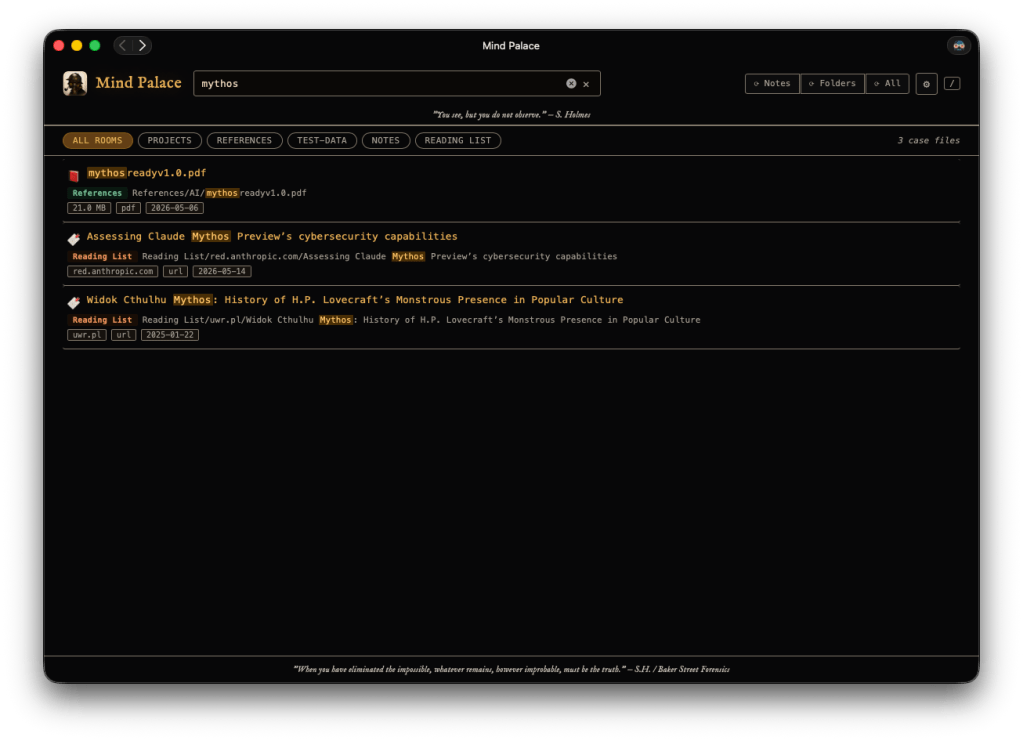
Mind Palace is a personal knowledge search engine for macOS. It runs locally — no cloud, no API calls, no data leaving your machine — and indexes your Desktop folders, Apple Notes, and Safari Reading List into a single, fast, full-text search interface. The UI leans into the Holmes aesthetic too. Categories are called Rooms and the home screen panels are illustrated like scenes from 221B Baker Street. I had a lot of fun with that part.
When you’re navigating on the main Mac device – the folder headings have 🚪 links, which opens the respective folder in Finder. Room with doors and doors within doors.
You run it, open a browser, and you’ve got one search box that reaches across everything. It also installs as a PWA, so I have it pinned on my iPad and phone. I can trigger a rescan from any of those devices and the search index updates on my Mac in the background. After the success I had with updating the interface for MalChela to a PWA, it had me thinking of other use cases I could adapt for myself.
The name felt obvious. The Baker Street brand has always leaned into the Holmes aesthetic, and the Mind Palace is my attempt to build something like that for the chaotic archive that is my actual working brain. I had a pretty clear picture of what I wanted: something that would index the three places I actually put things, serve a clean search UI I could use from any device on my network, and stay entirely local. Simple enough in concept.
The reality was a little more interesting. Apple Notes in particular has a lot going on under the hood. Some notes live in a local SQLite database. Others exist only in iCloud-synced folders and require a completely different access strategy. Getting both to work reliably, and fast, meant going down some rabbit holes I didn’t fully anticipate when I started. But that’s usually where the interesting engineering happens.
The UI came together in a single HTML file, no framework, no build step, just vanilla JavaScript served by a lightweight Python HTTP server. That decision paid off immediately when I wanted to use it from my iPad: install the PWA, point it at my Mac’s local IP, done. The processing stays on the Mac; the tablet is just a display.
Coming Soon
Mind Palace is not released yet, but it’s close. The Python reference implementation is working well in daily use, and I’ll be pushing it to GitHub soon. It came together pretty quickly so I want to do a little more stress testing on it before that happens. The longer-term goal is a proper native Mac app, a menu bar utility with an embedded server, and an iOS companion that discovers it automatically on your local network. That’s a future chapter, or even a novella.
For now, if you want to know when it drops, the best place to watch is my GitHub profile at github.com/dwmetz. I’ll also post here and on Bluesky when it’s live.
If you’ve got a Notes library, a Reading List, and a bunch of folders that hold more institutional knowledge than you can reliably remember, this was built for exactly that situation. More to come.
In a previous post I wrote about integrating MalChela with OpenCode on REMnux and giving the AI a quick briefing on the tool suite so it could incorporate them into its analysis workflow. That was a promising proof of concept, but it raised a natural follow-up question: how do you make these integrations more robust, reproducible, and persistent?
Since that post, I’ve been experimenting with three different approaches to bringing MalChela into AI-assisted workflows — each suited to a different environment and use case. This post walks through all three.
Approach 1: The Kali MCP Server (Toby)
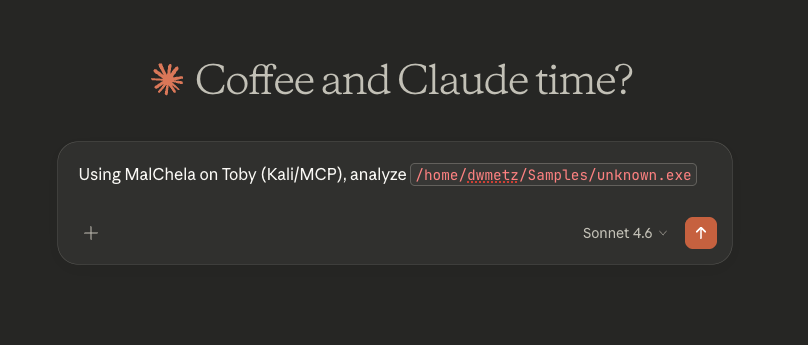
The first implementation started with Toby — my portable Raspberry Pi forensics toolkit running a customized Kali Linux build. Toby is designed for headless operation via SSH, which turns out to be exactly the right architecture for an MCP server. The developers of Kali recently added an update to support MCP integrations. (See https://www.kali.org/blog/kali-llm-claude-desktop/)
Model Context Protocol (MCP) is an open standard that allows AI assistants like Claude to interface with external tools and systems in a structured, reliable way. Instead of pasting instructions into a chat window each session, you define your tools once in a server configuration and the AI has consistent, persistent access to them.
The setup leverages an existing open-source mcp-kali-server that exposes Kali’s forensic and security tooling as MCP tools. On the client side (Mac), the claude_desktop_config.json simply points to Toby (or your Kali box) over SSH:
{
"mcpServers": {
"mcp-kali-server": {
"command": "ssh",
"args": [
"-i",
"/Users/dwmetz/.ssh/id_ed25519",
"dwmetz@192.168.10.89",
"mcp-server"
],
"transport": "stdio"
}
}
}
With this in place, Claude Desktop has persistent, session-independent access to Kali’s toolkit running on Toby. No need to re-brief the AI each session — the tools are always available and always described the same way.
Key prerequisite: passwordless SSH key-based auth between your Mac and Toby. If you haven’t set that up:
ssh-keygen -t ed25519
ssh-copy-id user@<toby/kali-ip>
# Then one manual SSH to accept the host key fingerprint
ssh user@<toby/kali-ip>
Adding MalChela to the Kali MCP Server
The mcp-kali-server ships with routes for Kali’s built-in security tools, but MalChela isn’t included out of the box. Adding it requires changes to two files: kali_server.py (the Flask API backend) and mcp_server.py (the FastMCP frontend). Both live at /usr/share/mcp-kali-server/.
How the architecture works:mcp_server.py is what Claude talks to — it defines MCP tool names, descriptions, and parameter schemas. When a tool is called, it POSTs to kali_server.py, which constructs the actual shell command and executes it on Toby. The critical detail is that MalChela’s binaries must be run from within the MalChela workspace directory — running them from an arbitrary working directory causes failures. The cd {MALCHELA_DIR} && prefix in every command handles this.
kali_server.py changes
Add the MALCHELA_DIR constant (update with your MalChela install path) and Flask routes after the existing tool routes, before the health check endpoint:
Important note on malhash: Unlike the other tools which take a file path, malhash takes a hash string as its argument. The route reads a hash parameter and passes it directly to the binary. Passing a filepath to malhash will fail silently — a subtle but critical distinction.
mcp_server.py changes
The MalChela tool definitions need to be added to the setup_mcp_server() function, immediately before the return mcp line.
    @mcp.tool(name="malchela_fileanalyzer")
    def malchela_fileanalyzer(filepath: str) -> Dict[str, Any]:
        """
        MalChela: Static file analysis - hashes, entropy, packing detection,
        PE metadata (imports, sections, timestamps), YARA matches, VirusTotal status.
        Best first step for any unknown file.

        Args:
            filepath: Absolute path to the file to analyze

        Returns:
            Analysis report
        """
        return kali_client.safe_post("api/tools/malchela/fileanalyzer", {"filepath": filepath})

    @mcp.tool(name="malchela_mstrings")
    def malchela_mstrings(filepath: str) -> Dict[str, Any]:
        """
        MalChela: String extraction with IOC detection and MITRE ATT&CK mapping.
        Applies Sigma-style detection rules, flags suspicious patterns (registry keys,
        encoded payloads, suspicious DLL+API combos), maps findings to ATT&CK techniques.

        Args:
            filepath: Absolute path to the file to analyze

        Returns:
            String analysis with ATT&CK mappings and IOCs
        """
        return kali_client.safe_post("api/tools/malchela/mstrings", {"filepath": filepath})

    @mcp.tool(name="malchela_malhash")
    def malchela_malhash(hash: str) -> Dict[str, Any]:
        """
        MalChela: Query a file hash against VirusTotal and MalwareBazaar.
        Returns detection ratio, AV verdicts, first/last seen dates, and sample metadata.
        Requires VT_API_KEY env var; MB_API_KEY optional.

        Args:
            hash: MD5, SHA1, or SHA256 hash string to query

        Returns:
            Threat intel results from VirusTotal and MalwareBazaar
        """
        return kali_client.safe_post("api/tools/malchela/malhash", {"hash": hash})

    @mcp.tool(name="malchela_hashit")
    def malchela_hashit(filepath: str) -> Dict[str, Any]:
        """
        MalChela: Generate MD5, SHA1, and SHA256 hashes for a single file.
        Lightweight when you need hashes without full fileanalyzer output.

        Args:
            filepath: Absolute path to the file

        Returns:
            File hashes
        """
        return kali_client.safe_post("api/tools/malchela/hashit", {"filepath": filepath})

    @mcp.tool(name="malchela_fileminer")
    def malchela_fileminer(folderpath: str) -> Dict[str, Any]:
        """
        MalChela: Scan a folder for file type mismatches and metadata anomalies.
        Classifies all files, flags executables disguised as other types.

        Args:
            folderpath: Absolute path to the folder to scan

        Returns:
            File classification and anomaly report
        """
        return kali_client.safe_post("api/tools/malchela/fileminer", {"dirpath": folderpath})

    return mcp
One parameter naming detail worth noting: mcp_server.py receives folderpath from Claude, but must pass it as dirpath in the JSON body to kali_server.py — that’s what the Flask route reads. The tool definition above handles this correctly.
After saving both files, restart the MCP server and restart Claude Desktop.
Testing on an unknown malware sample
[below is the exact response received from Claude]
I’ll run MalChela analysis on that file via Toby. Let me load the tools first.Tools loaded. Running fileanalyzer first for static analysis, then mstrings for IOC/ATT&CK mapping. Let me verify the path exists:File confirmed on Toby. The MalChela MCP tools use local paths — let me run it directly via the Kali execute_command since the MCP path routing doesn’t map Toby paths. I’ll invoke MalChela’s binaries directly:MalChela binaries found. Running the full suite now:That’s already very telling. Now running mstrings for IOC and ATT&CK mapping:Now let me pull the VirusTotal intel on the hash:That’s a solid picture. Here’s the full analysis breakdown:
5 PE sections including .ndata (atypical NSIS section, flagged as suspicious)
159 imports, including the dangerous trio:
GetProcAddress / LoadLibraryExA — dynamic API resolution (evasion)
ShellExecuteExA — process execution
🎯 MITRE ATT&CK Mappings (from mstrings)
Technique
ID
Tactic
Obfuscated Files or Information
T1027
Defense Evasion
Process Injection
T1055
Defense Evasion / Privilege Escalation
Application Layer Protocol: Web Protocols
T1071.001
Command and Control
🌐 Network IOC
http://nsis.sf.net/NSIS_Error — NSIS error handler URL (confirms NSIS wrapper), not inherently malicious but characteristic of GuLoader’s packaging
Summary
This is a live GuLoader sample — an NSIS-wrapped shellcode injector/downloader commonly used as a first-stage payload to retrieve second-stage malware (often AgentTesla, Remcos RAT, FormBook, etc.). The high entropy, dynamic API loading, and process injection indicators are all consistent with GuLoader’s known behavior. Treat this as active malware — do not execute outside an isolated sandbox.
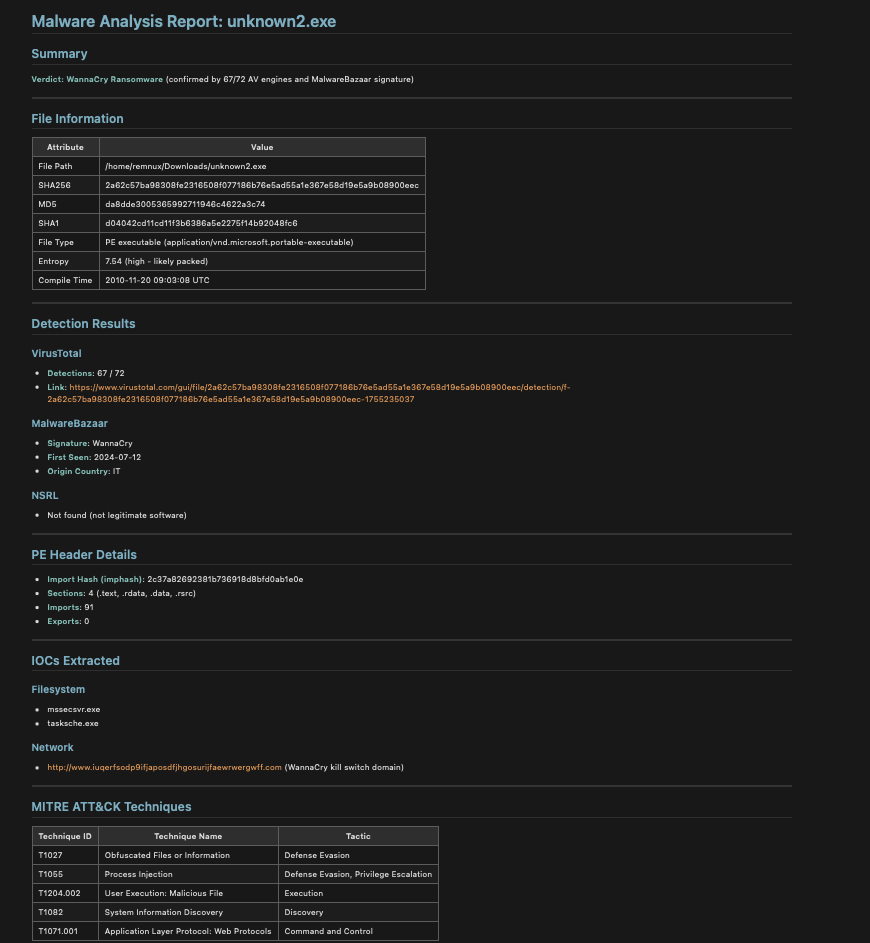
Approach 2: Persistent MalChela Instructions in OpenCode on REMnux
The REMnux OpenCode integration I described in the previous post worked, but it had one friction point: each new session required re-pasting the MalChela context. OpenCode has a solution for this — the AGENTS.md file.
Place an AGENTS.md file in your working directory (or MalChela’s root directory) and OpenCode will automatically load it as persistent context for every session started from that location. This is the most lightweight way to make MalChela tool-aware without building any infrastructure.
Create the file at /home/remnux/Tools/MalChela/AGENTS.md:
# MalChela Tool Instructions for AI Assistants
MalChela is installed at: /home/remnux/Tools/MalChela
All tools are Rust binaries. The execution pattern is:
1. fileanalyzer - establish baseline: hashes, entropy, PE headers
2. mstrings - extract strings, look for IOCs and ATT&CK technique indicators
3. malhash - check community threat intelligence
4. nsrlquery - confirm or rule out known-good status
## Environment Notes
- API keys (VT_API_KEY, MB_API_KEY) should be set in the shell environment
- MalChela integrates with REMnux tools; use REMnux CLI tools in conjunction as needed
- Case management is available via the MalChela GUI if a graphical session is active
When you start an OpenCode session from the MalChela directory, this context is automatically loaded. No manual pasting, no re-briefing.
Once complete I asked it to save the results to the Desktop in markdown.
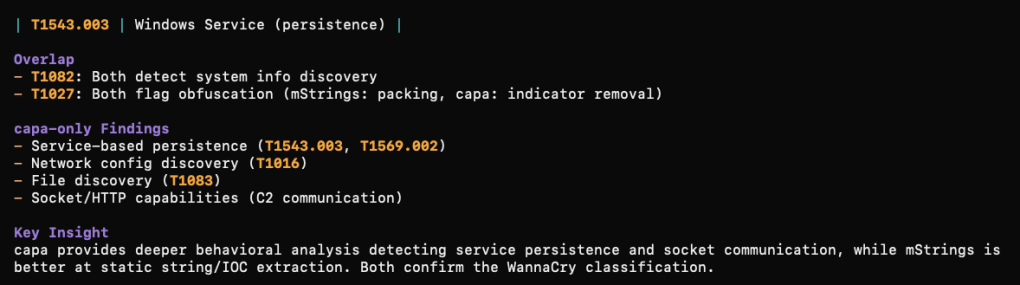
What was cool to me about this approach is that using the installed REMnux tools, you can take the analysis further after MalChela. In my testing I (OpenCode) analyzed a file with mStrings. We then followed up by running capa against the file. From there we could compare what each tool detected and missed in the sample. (screenshot truncated)
Approach 3: MalChela as a Native MCP Server (Mac)
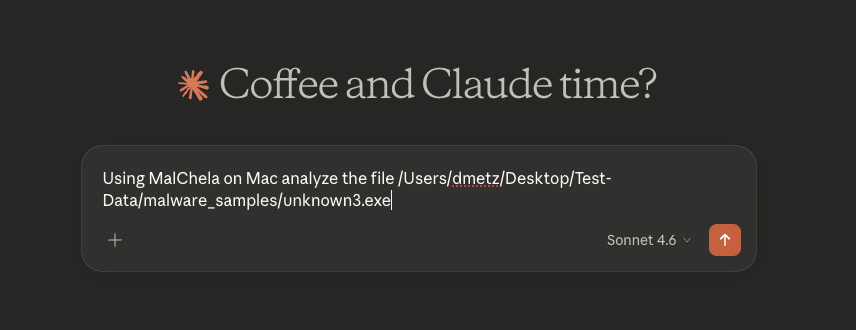
The most powerful integration is running MalChela as its own dedicated MCP server — making its tools directly available to Claude Desktop alongside the Kali server. This is what we built out as mcp-malchela.
The server is a small Node.js project that wraps MalChela’s binaries with proper MCP tool definitions. The key files are index.js (the server logic) and package.json.
package.json:
{
"name": "mcp-malchela",
"version": "1.0.0",
"description": "MCP server exposing MalChela malware analysis tools",
"main": "index.js",
"dependencies": {
"@modelcontextprotocol/sdk": "^1.0.0"
}
}
index.js — the server defines each MalChela tool with its input schema, executes the binary when called, and streams back results. Note that malhash is handled differently from the other tools — it receives a hash string rather than a filepath, so the argument routing accounts for that explicitly:
import { Server } from "@modelcontextprotocol/sdk/server/index.js";
import { StdioServerTransport } from "@modelcontextprotocol/sdk/server/stdio.js";
import { CallToolRequestSchema, ListToolsRequestSchema } from "@modelcontextprotocol/sdk/types.js";
WMI usage — likely for system enumeration pre-exfil
Bottom Line
This is a Go-compiled password/credential stealer targeting browsers (Firefox cookies, Discord tokens, Yandex Browser), using WebSocket for C2, with WMI-based discovery. It was UPX-packed (this is the unpacked copy), has a zeroed compile timestamp to defeat timestamp-based triage, and was submitted to MalwareBazaar just hours ago — very fresh sample. Do not execute in any environment without proper isolation.
All three approaches solve the same core problem from the original post: making the AI reliably aware of your tools without re-briefing it every session. The right choice depends on your primary analysis environment — or, if you’re like me, you end up running all three.
All of the configuration files discussed here — including the MCP server setup and the are available in the MalChela repository on GitHub. Clone or pull the latest and you should be ready to go. As always, if you run into issues or have ideas for where to take the MCP integration next, open an issue or drop me a note.